



The members portal the Society runs on.
The Society of St. Vincent de Paul is a Catholic lay organization whose members, called Vincentians, serve more than 5 million people a year through local conferences and councils. MAP, the Members Administration Portal, is the system the association runs on. We rebuilt it on .NET and Umbraco, replacing a Python application from a previous vendor with an architecture that grows one application at a time.
- PLATFORM
- Umbraco 17.5 on ASP.NET Core, with Blazor, Bootstrap and SQL Server
- SCOPE
- Directory, annual reports, solidarity dues, twinning, 501(c)(3) audit and reporting, with custom Lucene.NET search
- SCREENS
- Desktop, tablet and phone
CHAPTER 01 OF 05
Built around how the Society is organized
Before any screen was designed, we learned how the association is structured, the words Vincentians use for it, and who should be able to see what. Everything else was built on that.
- COUNCILS AND CONFERENCES
- 4,000+
- PEOPLE SERVED EACH YEAR
- 5M+
- YEARS OF SERVICE
- 175+
- REGIONS IN THE TREE
- 9
02 · ORGANIZATION
From the National Council to every Vincentian
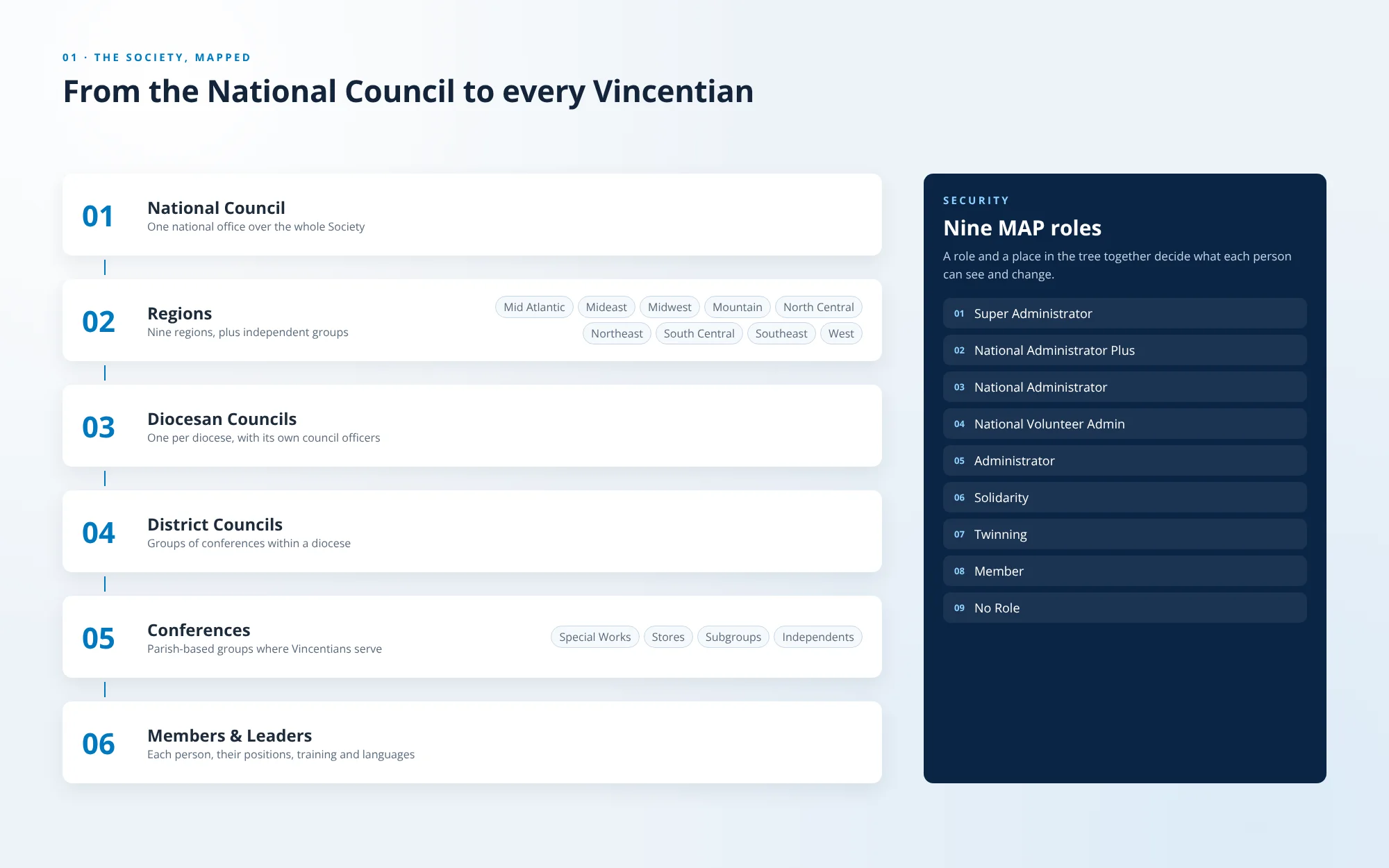
MAP models the Society as a tree: the National Council, nine regions plus independent groups, diocesan councils, district councils and conferences, with special works, stores and subgroups alongside. Nine MAP roles, together with a person’s place in that tree, decide what each person can see and change.
- NOMENCLATURE
- GROUP TREE
- NINE ROLES
03 · INFORMATION ARCHITECTURE
Seven sections, one menu
The menu follows the jobs people come to do: Dashboard, Directory, Annual Reports, Solidarity Dues, Twinning, 501c3 and Report. Each section opens into the pages beneath it, from Groups & Members to the Member Incentive Report.
- SITEMAP
- NAVIGATION
CHAPTER 02 OF 05
One portal, many applications
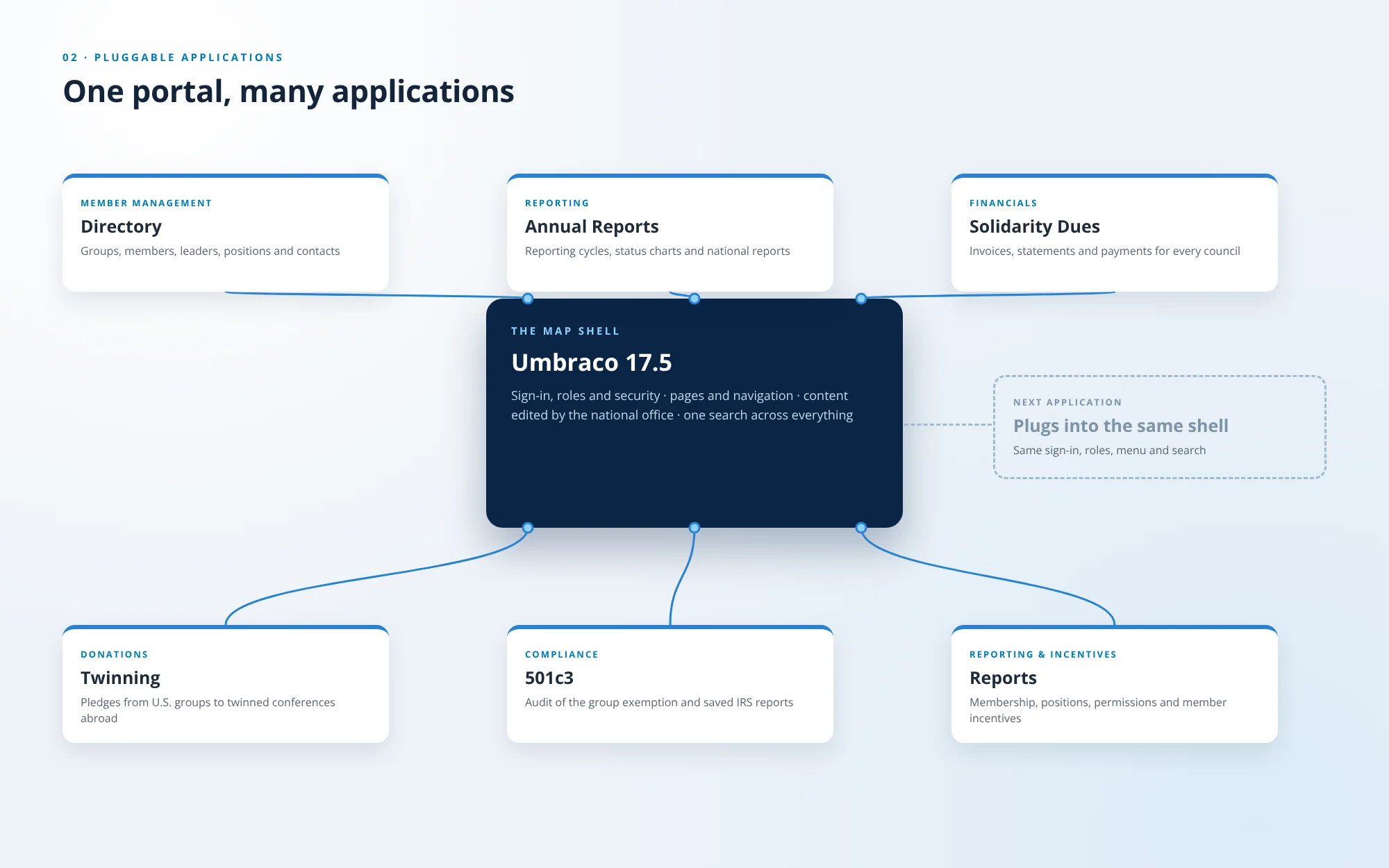
MAP is a shell that applications plug into. Each one handles a different part of running the association, and each one shares the same sign-in, roles, menu and search.
04 · PLUGGABLE ARCHITECTURE
Applications that plug into one shell
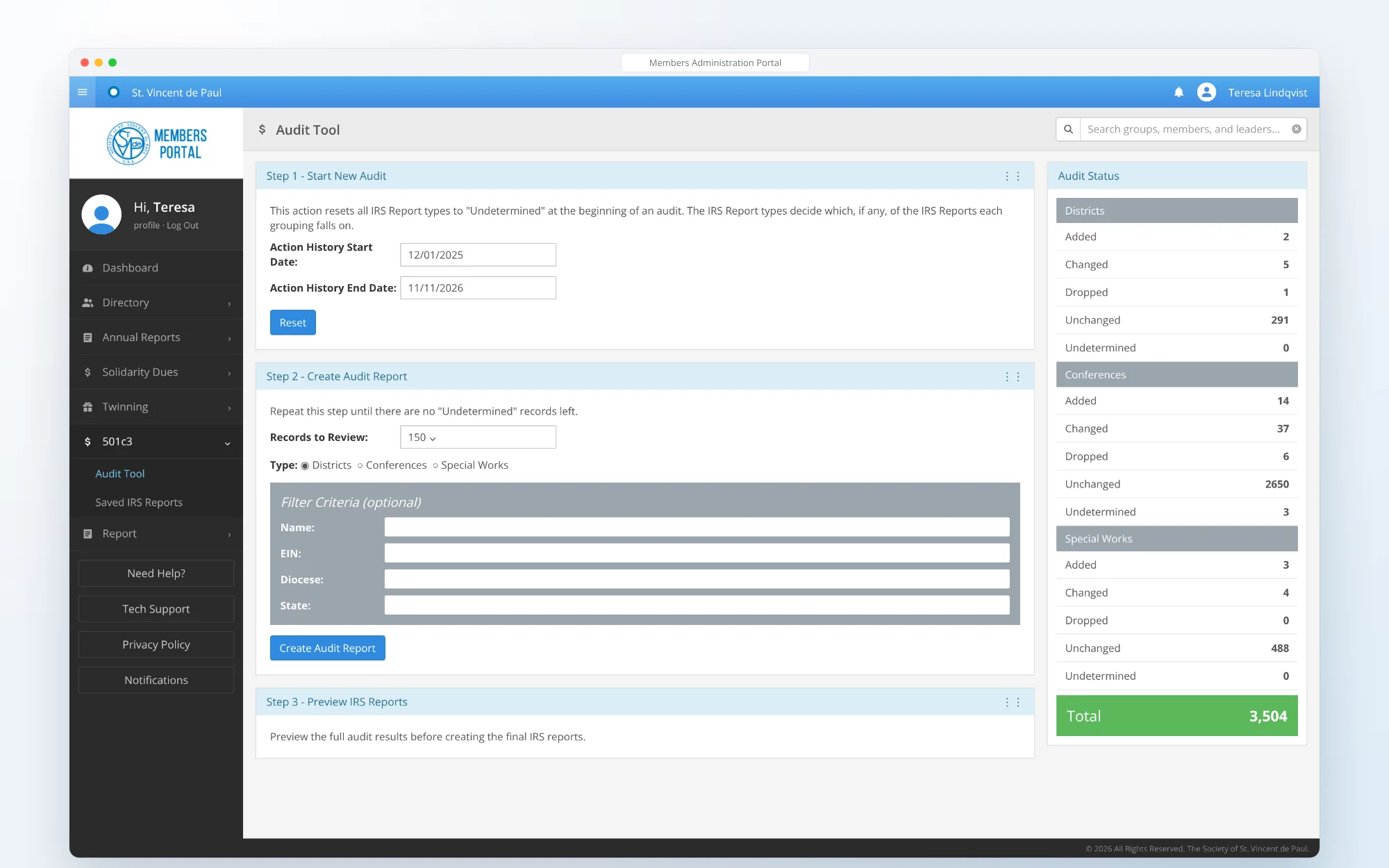
The MAP shell handles sign-in, roles, pages, navigation and search. Applications for member management, reporting, financials, donations, compliance and incentives plug into it, so a new application gets the same security and menu from its first day.
- PLUG-INS
- SHARED SECURITY
- EXTENSIBLE
05 · REPORTING
Annual reports, at a glance
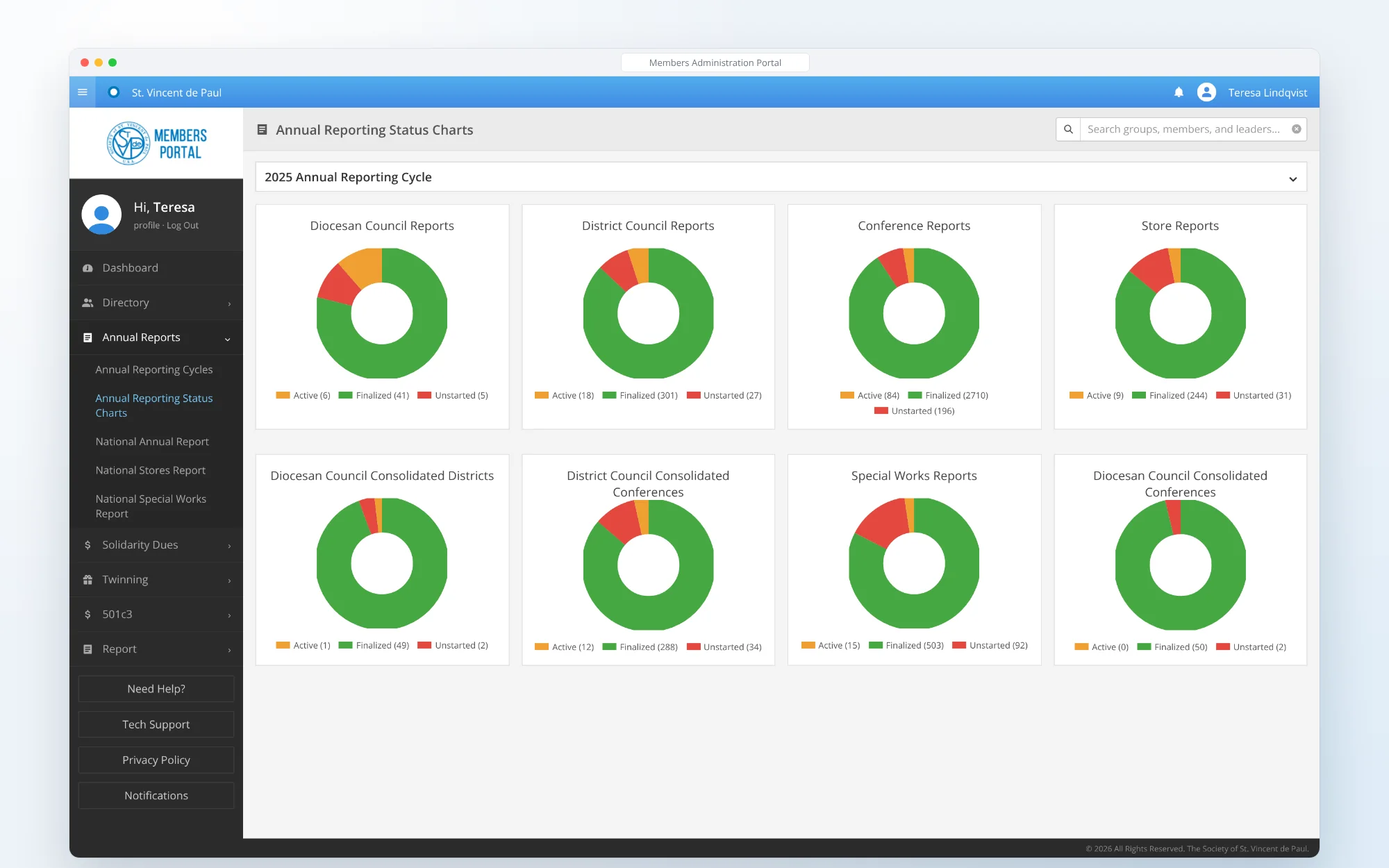
Status charts show every reporting cycle by group type, from diocesan councils to conferences, stores and special works. Each chart splits the groups into finalized, active and unstarted, so the national office can see who still needs help.
- STATUS CHARTS
- REPORTING CYCLES
CHAPTER 03 OF 05
Search that speaks Vincentian
Search is one of the portal’s biggest features. Follow a single search from the box at the top of every page to a member’s record and the group they belong to.
01 / 04 · TYPESEARCH · TYPE
One box on every page
The search box sits at the top of every page and looks across groups, members and leaders at once. Results arrive as cards: people with the conference they belong to, and groups with their level in the tree.
- GLOBAL SEARCH
- RESULT CARDS
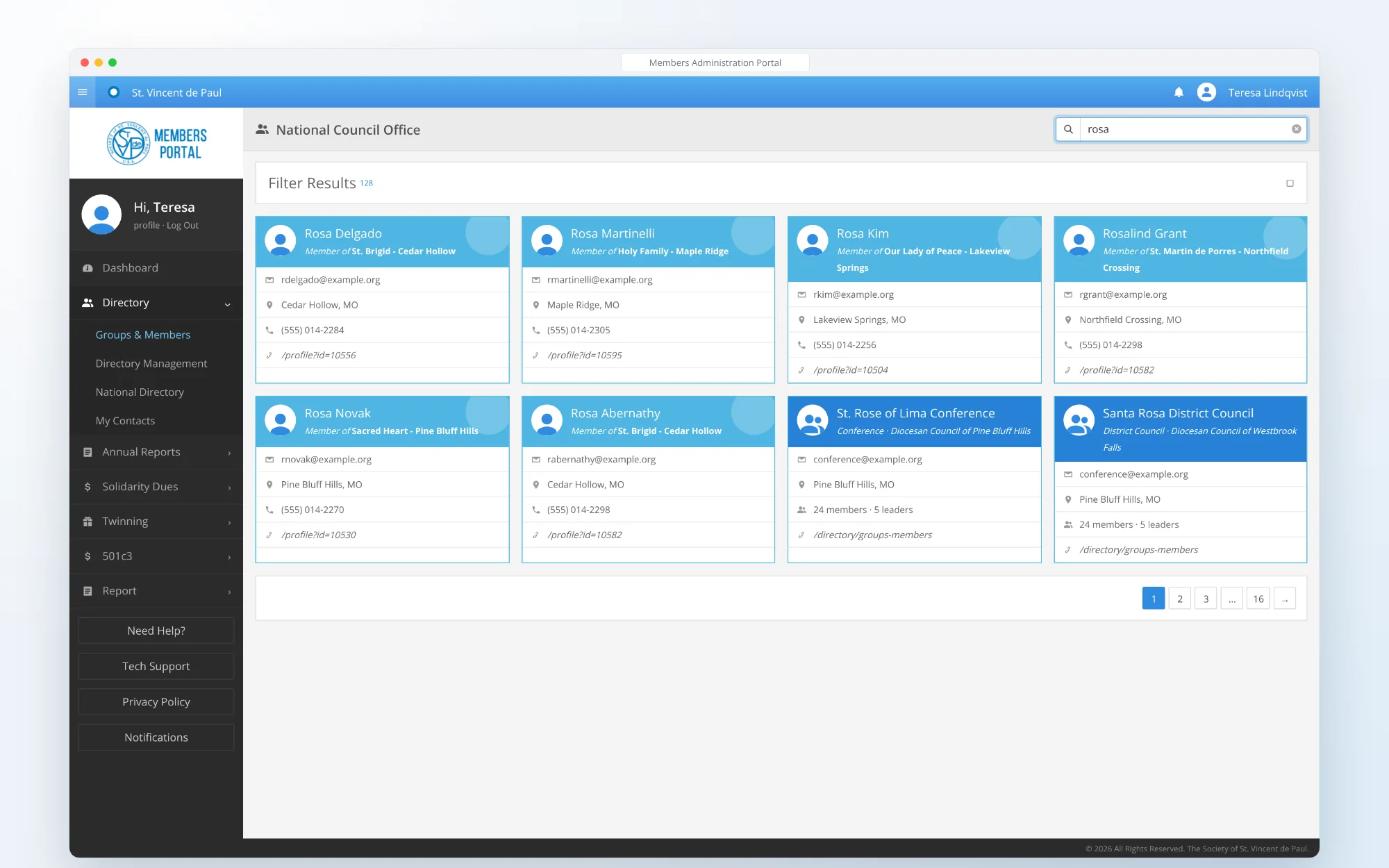
FIG. 09 — ONE BOX ON EVERY PAGE 02 / 04 · NARROWSEARCH · NARROW
Filters in the Society’s own terms
Filter Results narrows the same search by group level (national, regions, dioceses, districts, conferences, subgroups, special works and independents) and by people (members and leaders), with a count beside each one.
- FACETED FILTERS
- LIVE COUNTS
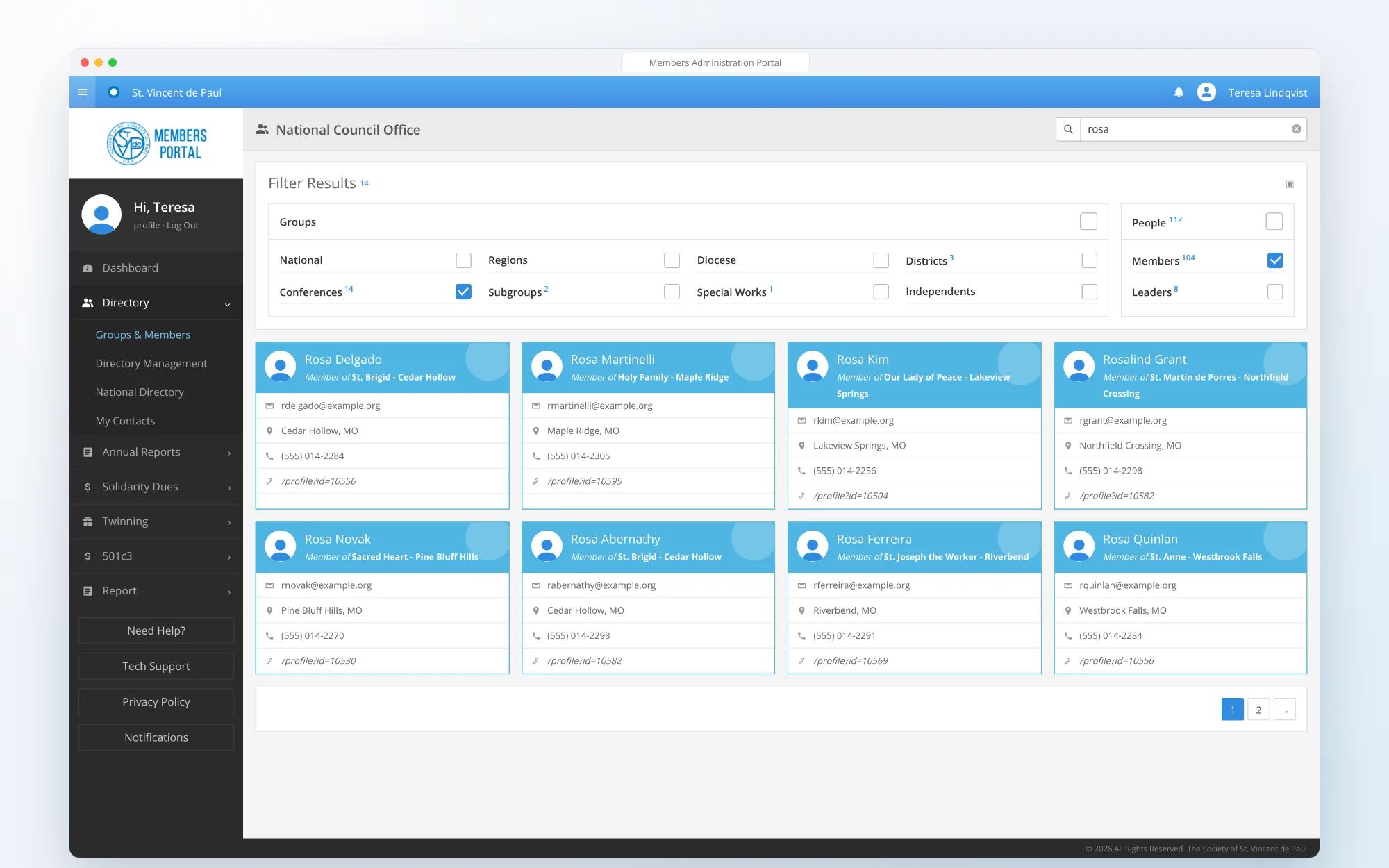
FIG. 10 — FILTERS IN THE SOCIETY’S OWN TERMS 03 / 04 · OPENSEARCH · OPEN
The whole person, in one record
A member’s record holds their contact details, groups and positions, MAP roles, languages and the trainings they have completed, from Ozanam Orientation to Safeguarding.
- MEMBER PROFILE
- ROLES
- TRAINING
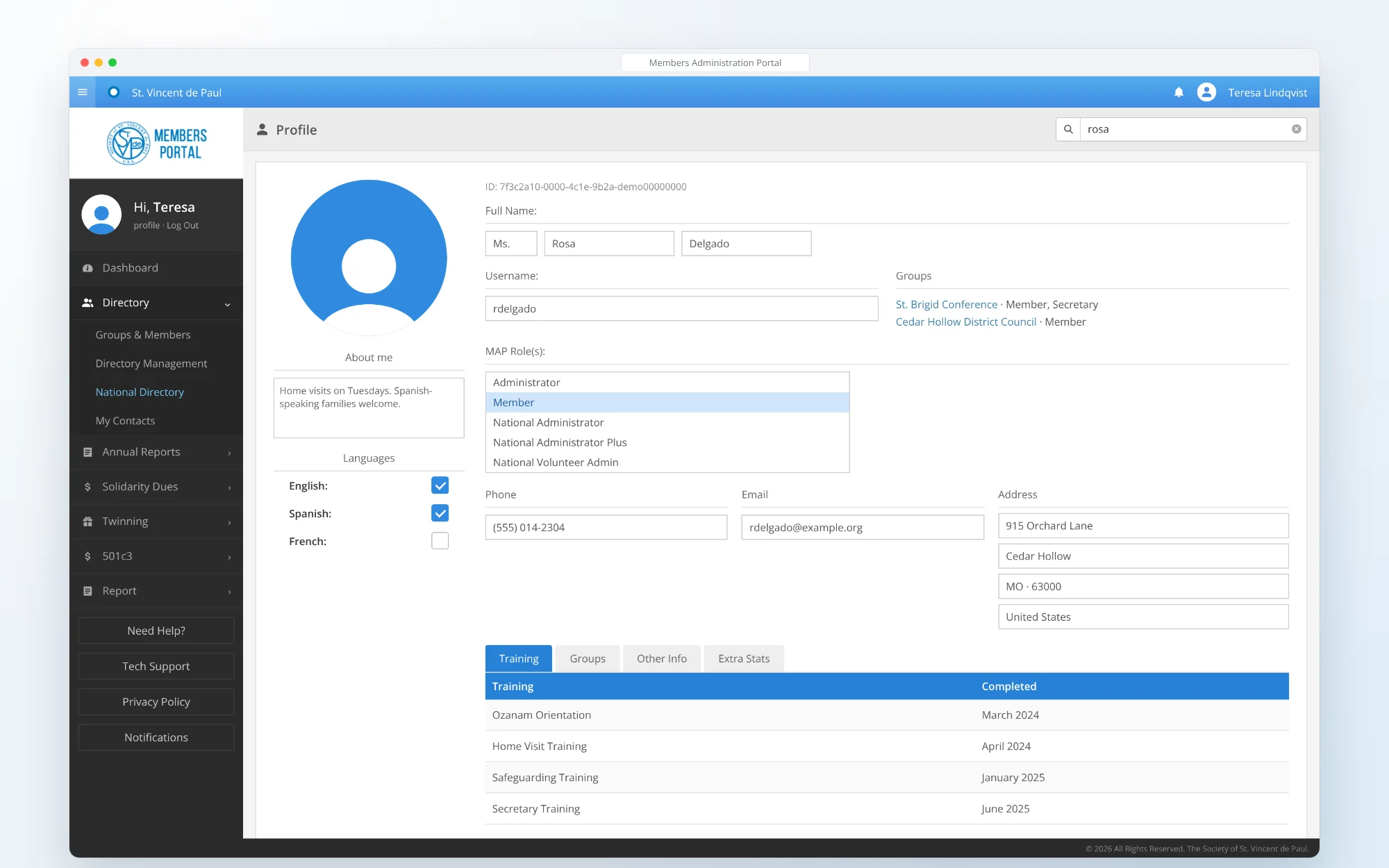
FIG. 11 — THE WHOLE PERSON, IN ONE RECORD 04 / 04 · EXPLORESEARCH · EXPLORE
From one person to their whole group
The Group Explorer moves down the tree from National to a single conference. Each group shows its details, members, leadership, subgroups, special works, training and reports, with tools to add, import and move members.
- GROUP EXPLORER
- MEMBERS
- IMPORT
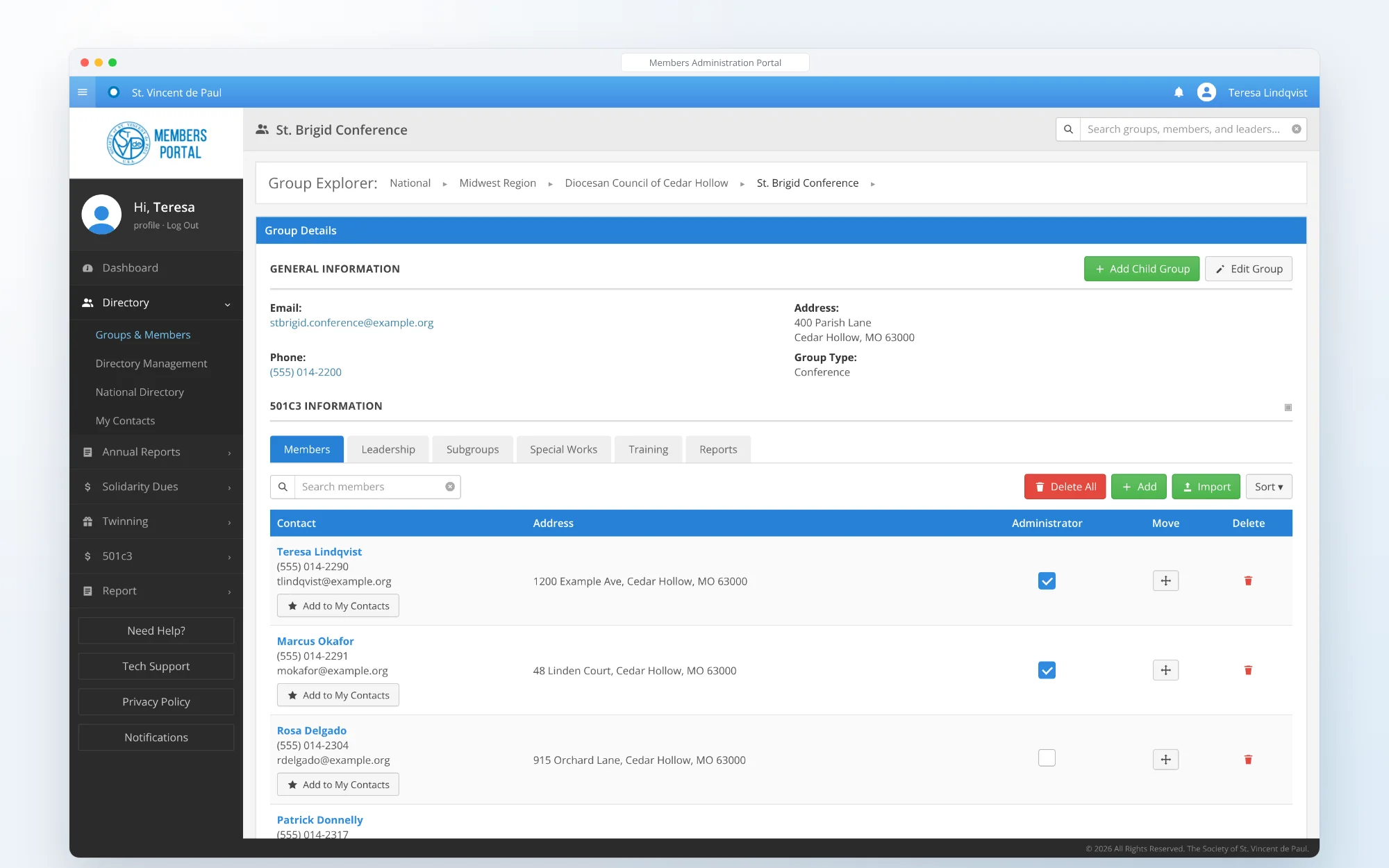
FIG. 12 — FROM ONE PERSON TO THEIR WHOLE GROUP
13 · CUSTOM SEARCH
One Lucene.NET index behind every search box
Groups from the Umbraco content tree and member records from SQL Server go into a single custom Lucene.NET index. One query matches names, groups, places and roles, and counts every group level and person type for the filters.
- LUCENE.NET
- FACETS
- SPECIALIZED UI
CHAPTER 04 OF 05
Umbraco at the core
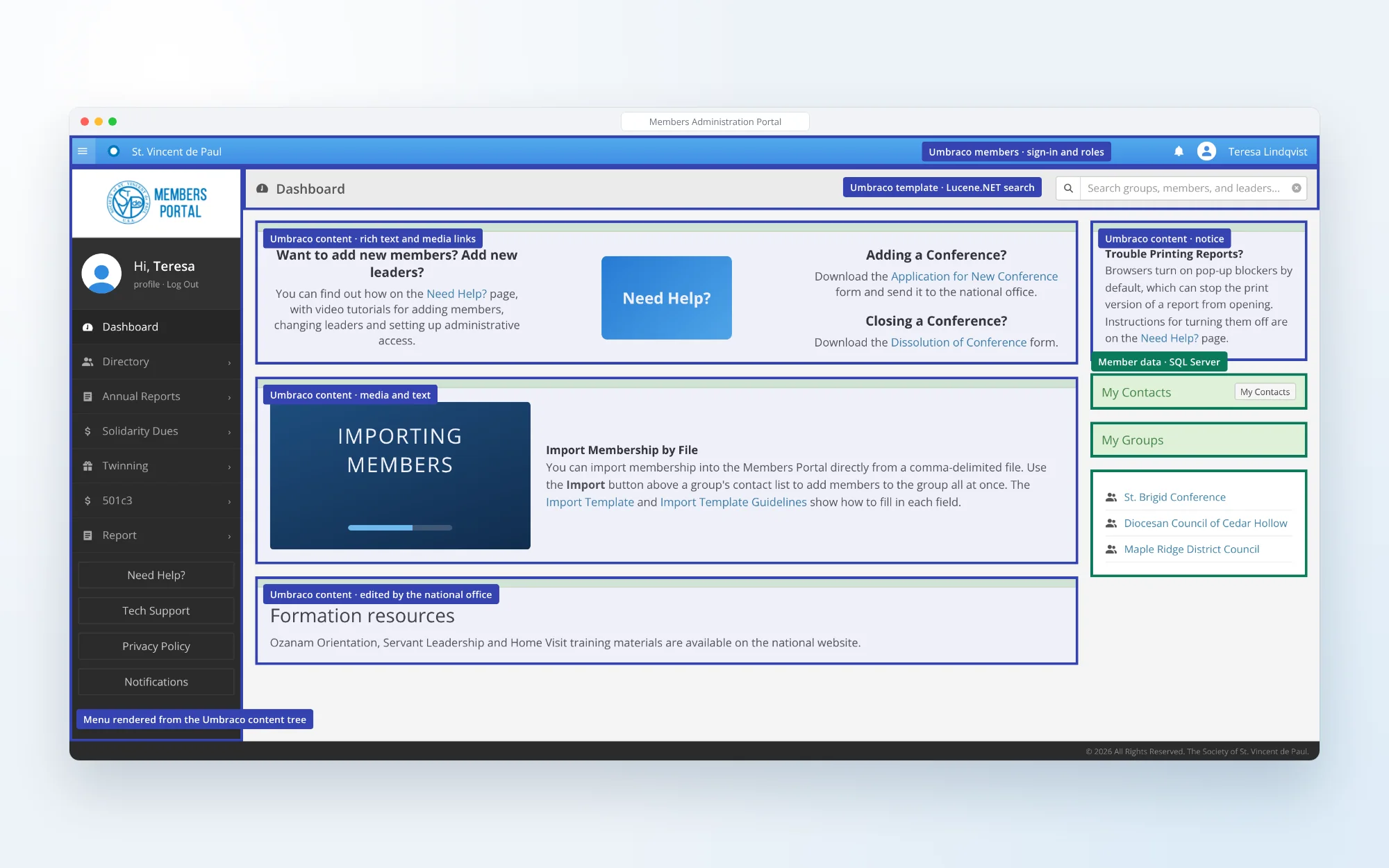
Umbraco is responsible for content management, page rendering, user management and security. Drag across the dashboard to see which parts of the page it builds.
14 + 15 · WHAT MEMBERS SEE / WHAT UMBRACO BUILDS
DRAG TO SEE THE UMBRACO LAYER
 WHAT MEMBERS SEEWHAT UMBRACO BUILDS
14 · UMBRACO
The dashboard members see
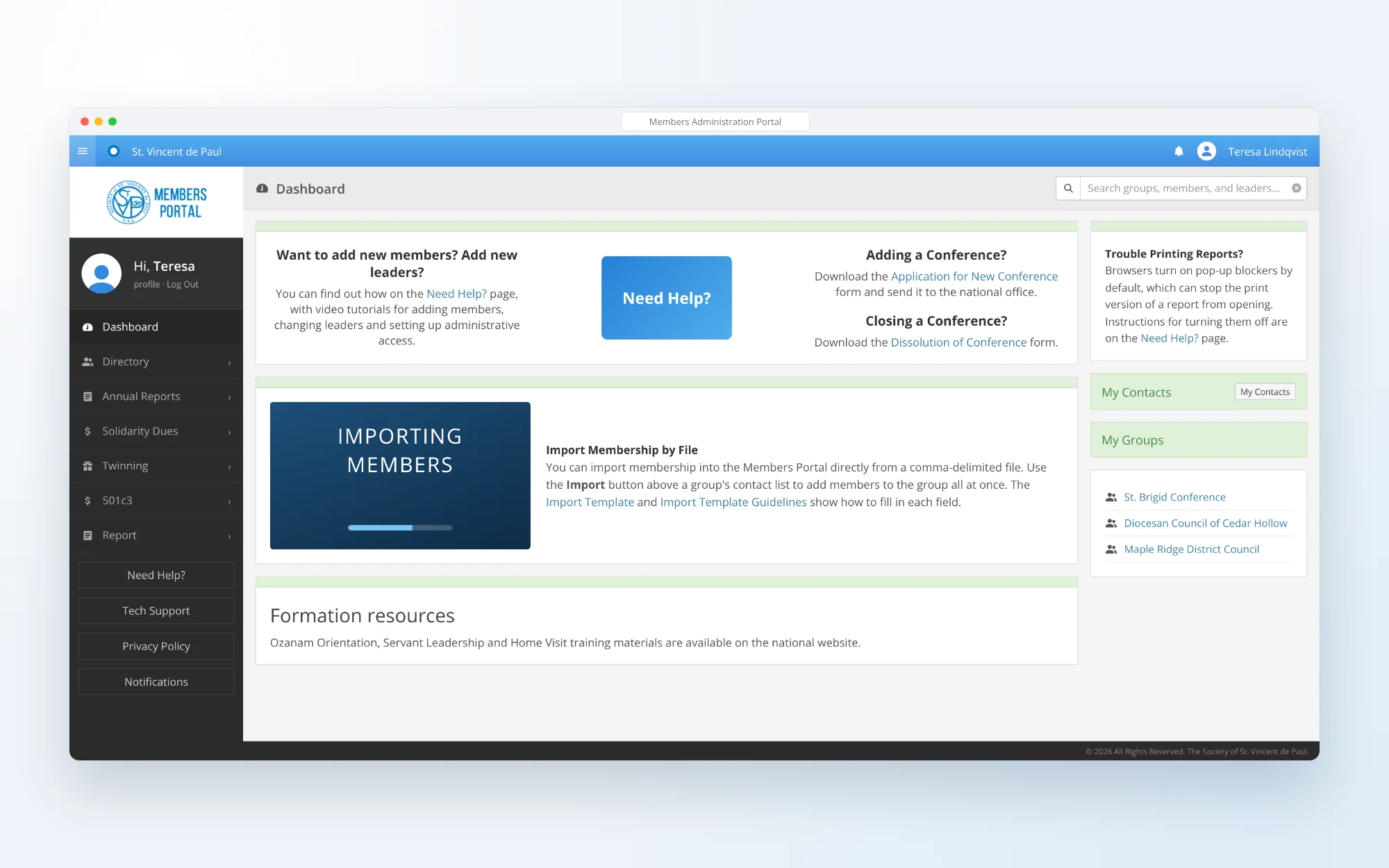
The dashboard greets every Vincentian with help, forms, notices and quick links to their contacts and groups.
- DASHBOARD
15 · UMBRACO
The same page, as Umbraco builds it
Umbraco renders the page and its menu, holds the help content, forms and notices the national office edits, and handles sign-in and roles. Member data comes from SQL Server and search from the Lucene.NET index.
- CONTENT
- PAGE RENDERING
- MEMBERS & ROLES
16 · PAGE BUILD
A portal page, layer by layer
Seven layers make every page: the grid, the shell, the navigation, the header and search, the Umbraco content, the member data and the finished page.
- ANIMATED BUILD
- LAYERS
17 · TECHNOLOGY
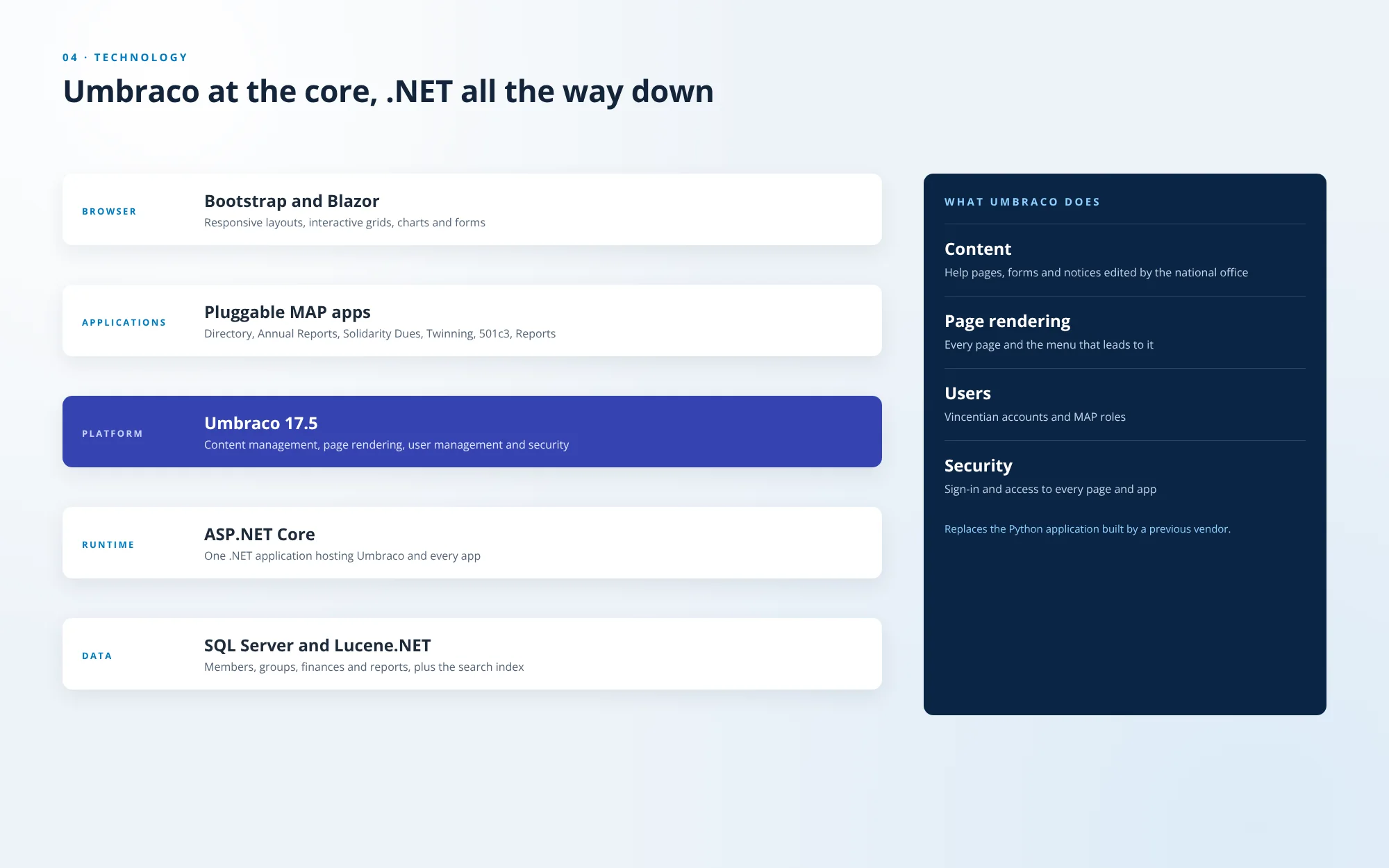
Umbraco at the core, .NET all the way down
Bootstrap and Blazor in the browser, pluggable MAP applications, Umbraco 17.5 for content, page rendering, users and security, all in one ASP.NET Core application over SQL Server and the Lucene.NET index. It replaces the Python application built by a previous vendor.
- UMBRACO 17.5
- ASP.NET CORE
- BLAZOR
- SQL SERVER
CHAPTER 05 OF 05
From a Python app to a .NET platform
The Society needed a more robust architecture and infrastructure than the application it had. .NET was the obvious choice, and understanding the association came first.
18 · PROCESS
Six phases, starting with the association
Discovery came first: how the Society is organized, its nomenclature and its security. Then moving the data out of the Python application, the Umbraco and .NET architecture, the build, testing every role at every level, and launch, with new applications added to the same shell since.
- DISCOVERY
- MIGRATION
- ANIMATED PROCESS
01 · RESPONSIVE VIEWS
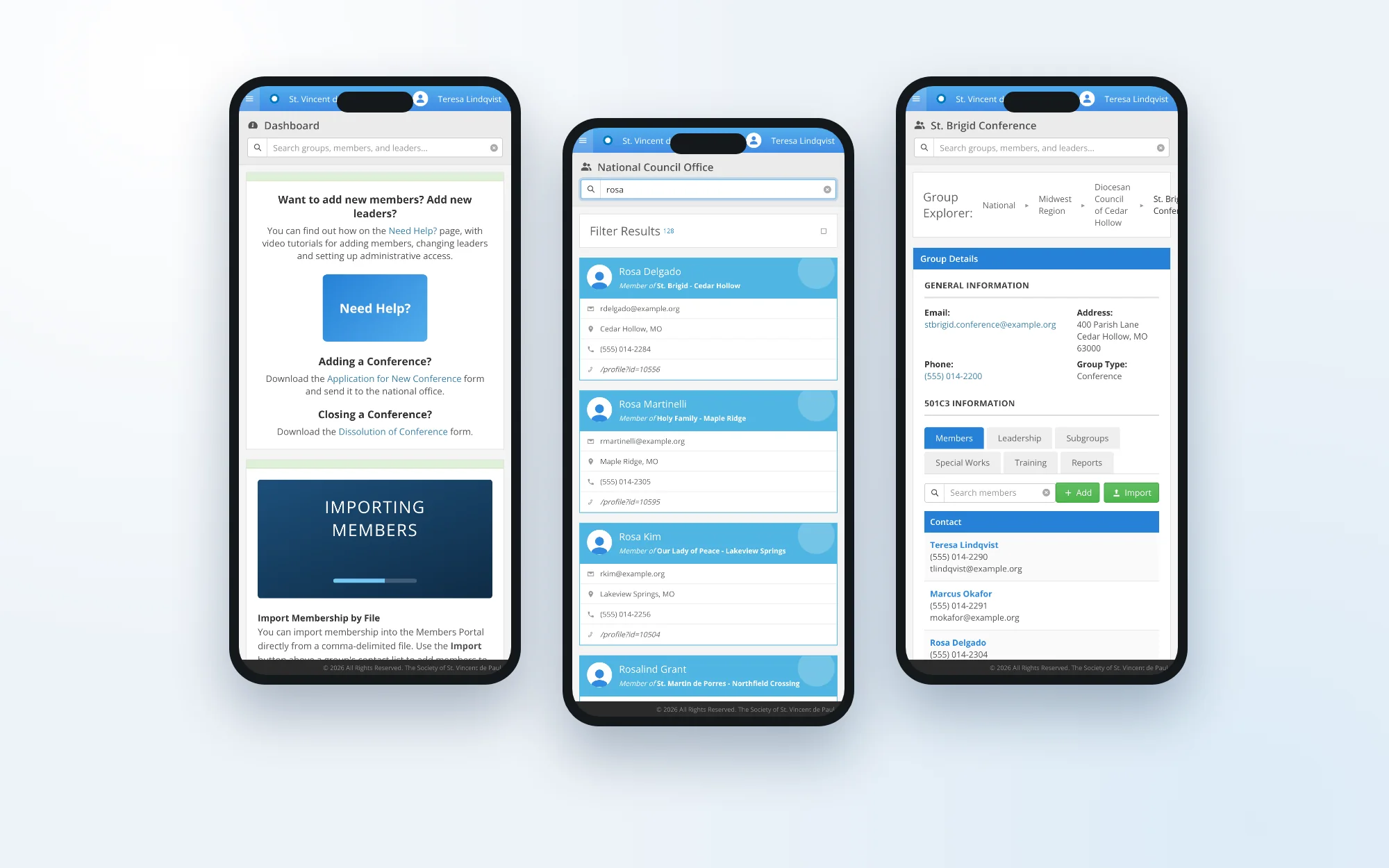
One portal on every screen
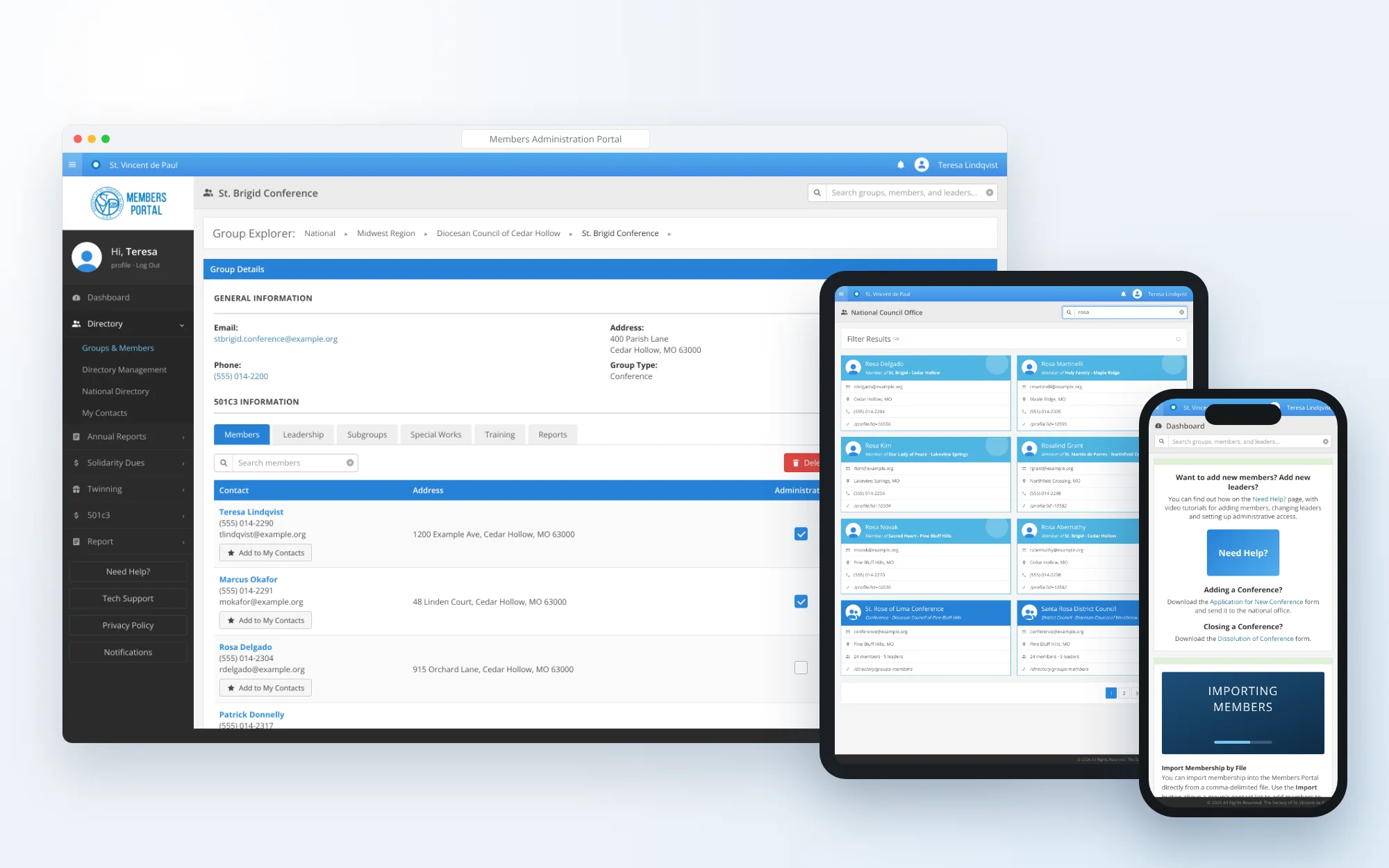
A conference’s members on a desktop, a search on a tablet and the dashboard on a phone. The sidebar folds away on smaller screens and the search box moves under the page title. Every screen in this case study uses sample data.
- BOOTSTRAP
- RESPONSIVE
- SAMPLE DATA
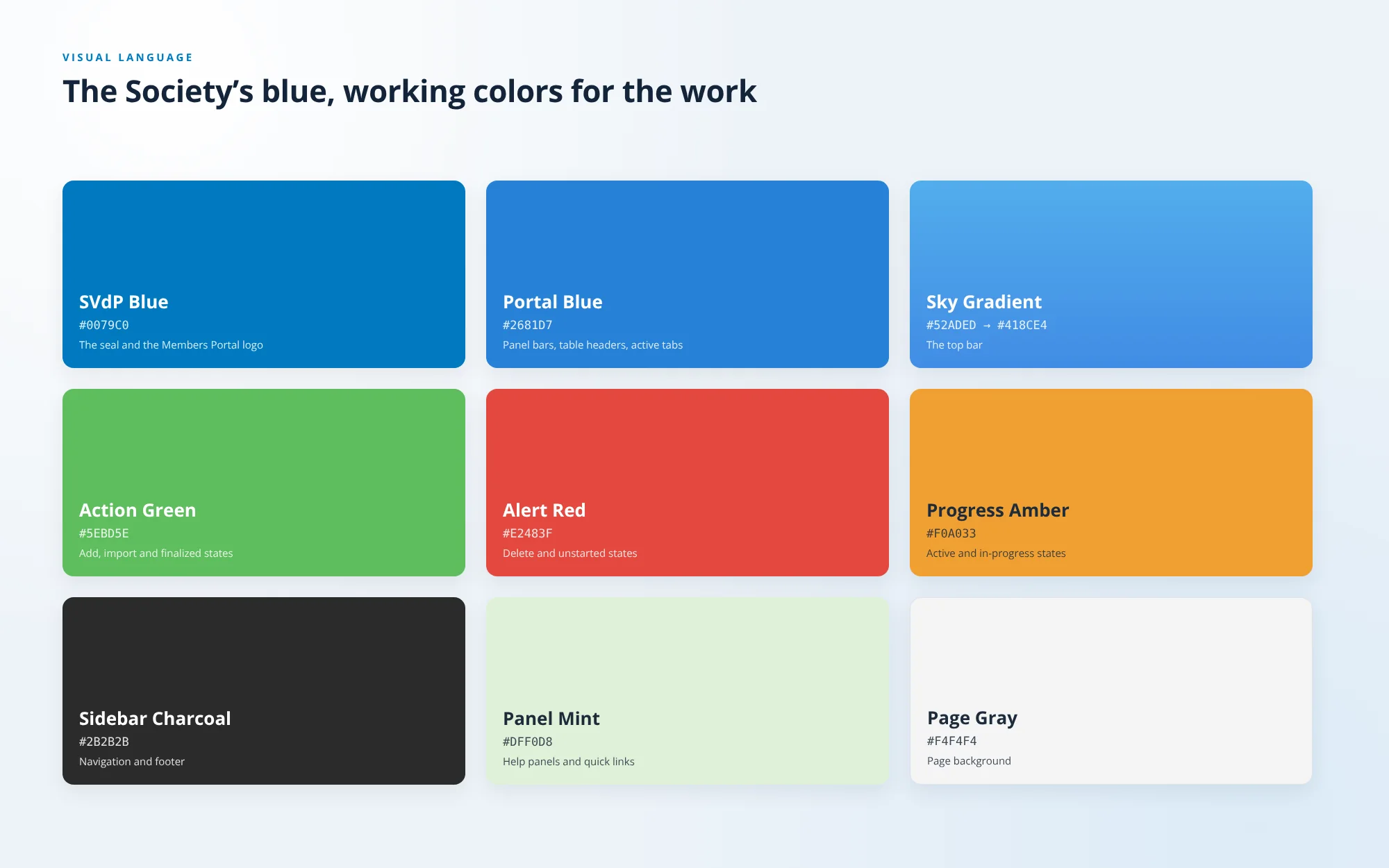
The Society’s blue, working colors for the work
SVdP Blue comes from the seal. Portal Blue marks panel bars, table headers and active tabs, a sky gradient carries the top bar, and green, red and amber are kept for states: finalized, unstarted and in progress.
- BRAND BLUE
- STATE COLORS
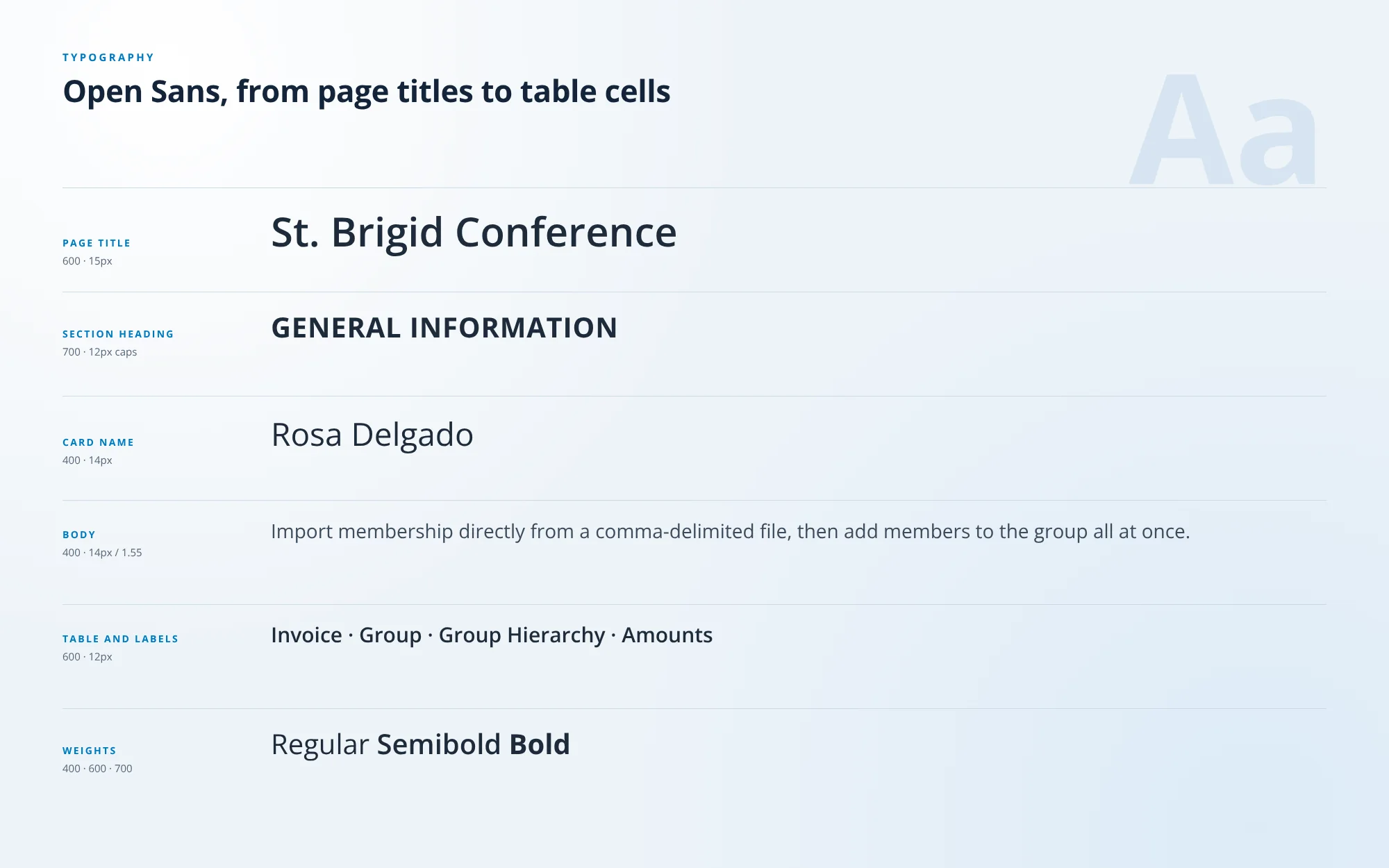
Open Sans, from page titles to table cells
Open Sans in three weights carries the whole portal: semibold page titles, bold uppercase section headings, and regular text for cards, forms and long tables.
- OPEN SANS
- THREE WEIGHTS
THE OUTCOME
Less time on administration, more time serving neighbors in need.
MAP is a core system for the Society of St. Vincent de Paul. With better communications and reporting in one portal, the association serves its members better and faster, so Vincentians can focus on their core work: supporting their communities.
- APPLICATIONS IN ONE PORTAL
- 6
- MAP ROLES
- 9
- TRAININGS TRACKED PER MEMBER
- 16
- UMBRACO PLATFORM
- 1
- 01
Organized like the Society
Groups, roles and words in the portal follow the association’s own structure, from the National Council to each Vincentian.
- 02
Applications plug in
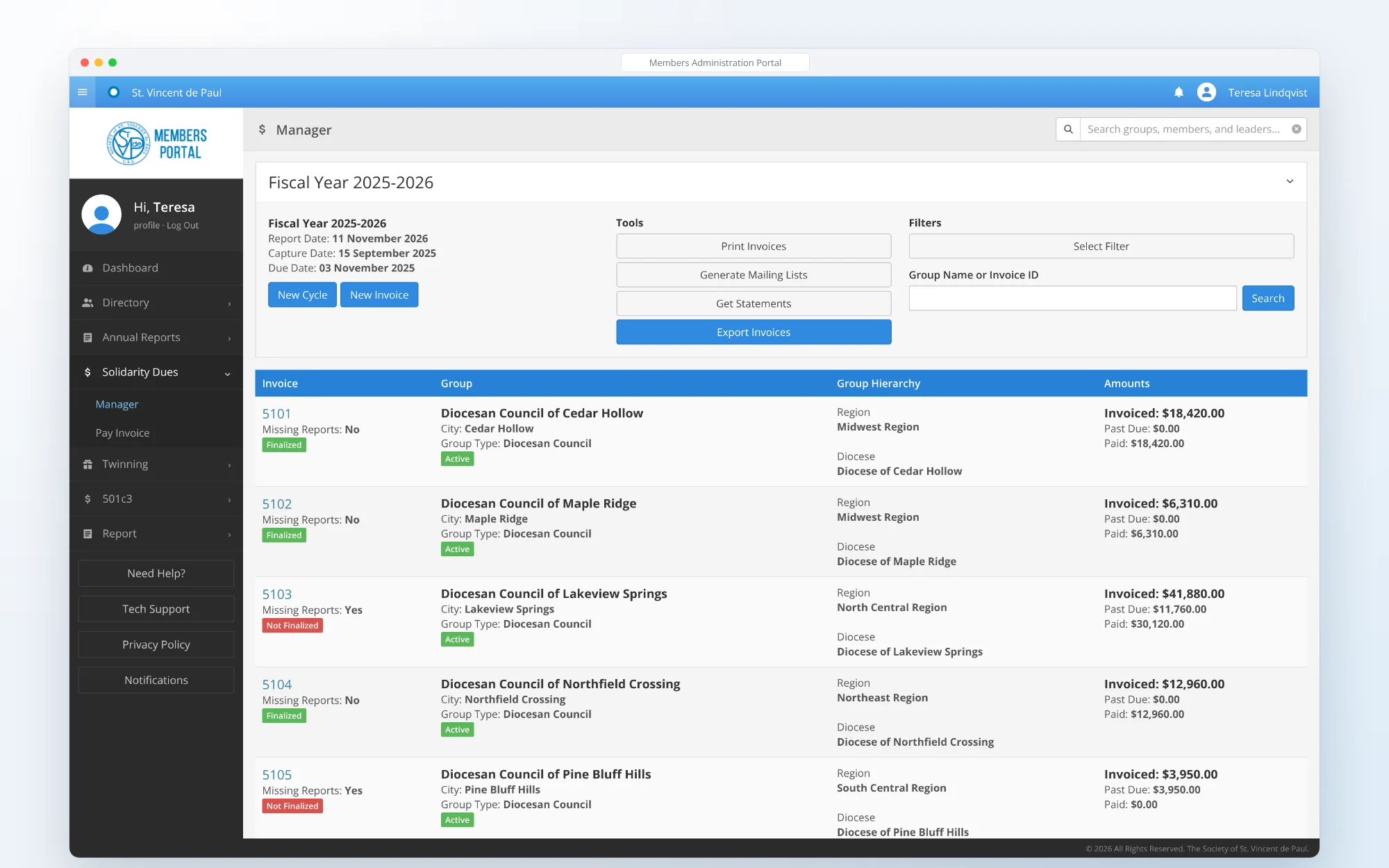
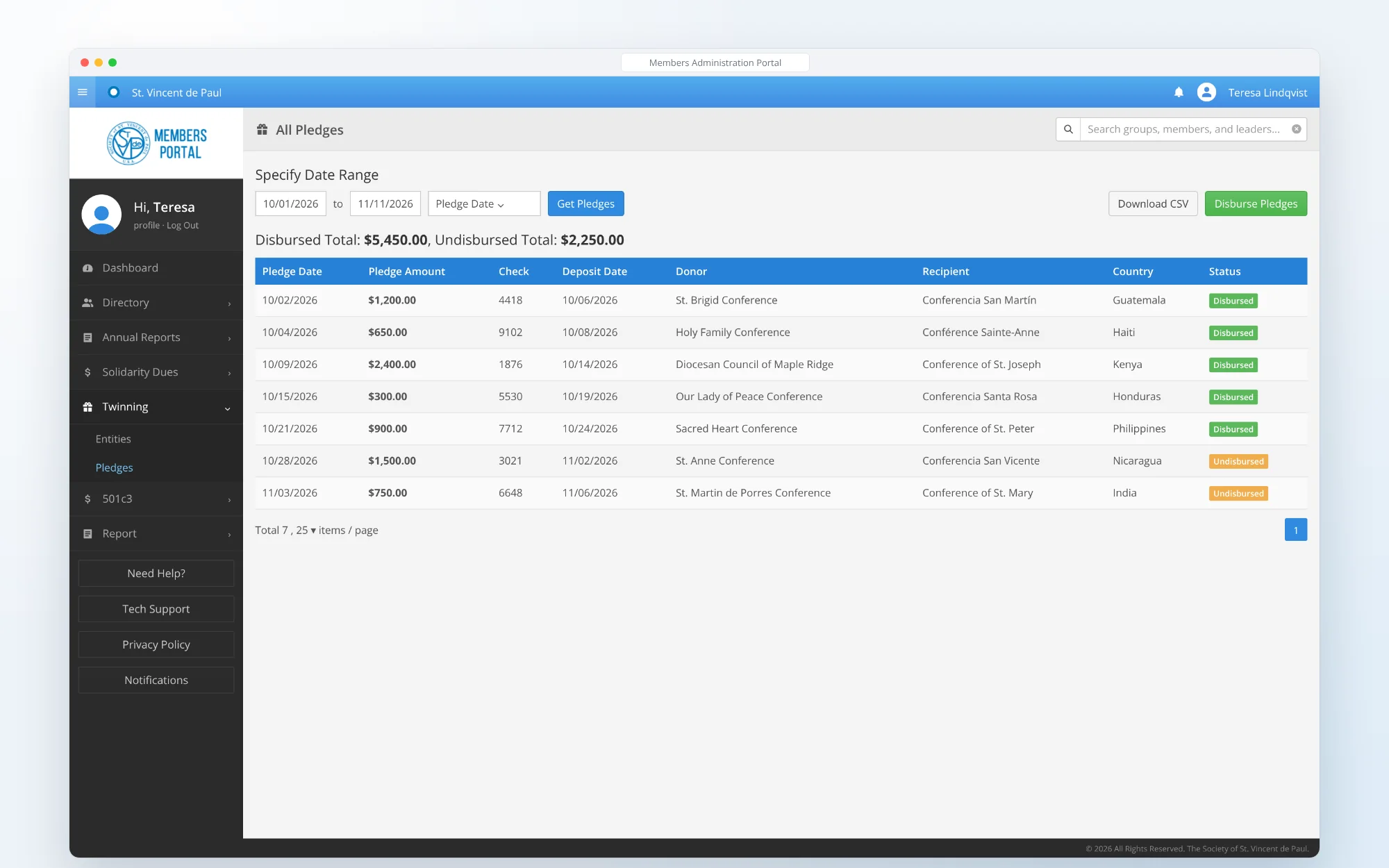
Directory, reporting, dues, twinning and compliance share one shell, and the next application plugs into the same one.
- 03
Umbraco at the core
Content, page rendering, users and security run on Umbraco 17.5, with search on a custom Lucene.NET index.
NEXT STEP
Running an association on an aging system?
We build member portals on Umbraco and .NET. Bring us how your organization is structured and who needs to see what, and we can map the platform from there.