


A research library that answers the question, on every screen.
MRSC helps local governments in Washington State with research, training and legal guidance. We rebuilt its website around the questions that staff and officials actually ask: a search that works across everything MRSC publishes, a clear path to Ask MRSC when self-service runs out, and pages that stay readable on a phone.
- PLATFORM
- Custom site search built on Lucene.NET
- SCOPE
- Research tools, topics, search, blog, training, publications, Ask MRSC
- SCREENS
- Desktop, tablet and phone
CHAPTER 01 OF 03
It starts with a question
Staff and officials arrive with a question, not a page in mind. One search reaches everything MRSC publishes.
ONE SEARCH, THE WHOLE LIBRARY
- SAMPLE DOCUMENTS
- 118
- TOPIC PAGES
- 36
- BLOG POSTS
- 27
11 · SEARCH
How search works across the whole library
A custom search engine built on Lucene.NET ties the research library together, so one search can reach topic pages, sample documents, blog posts and news. The animated infographic walks through how that works for local government staff.
- LUCENE.NET
- CUSTOM SEARCH
- INFOGRAPHIC

12 · SEARCH RESULTS
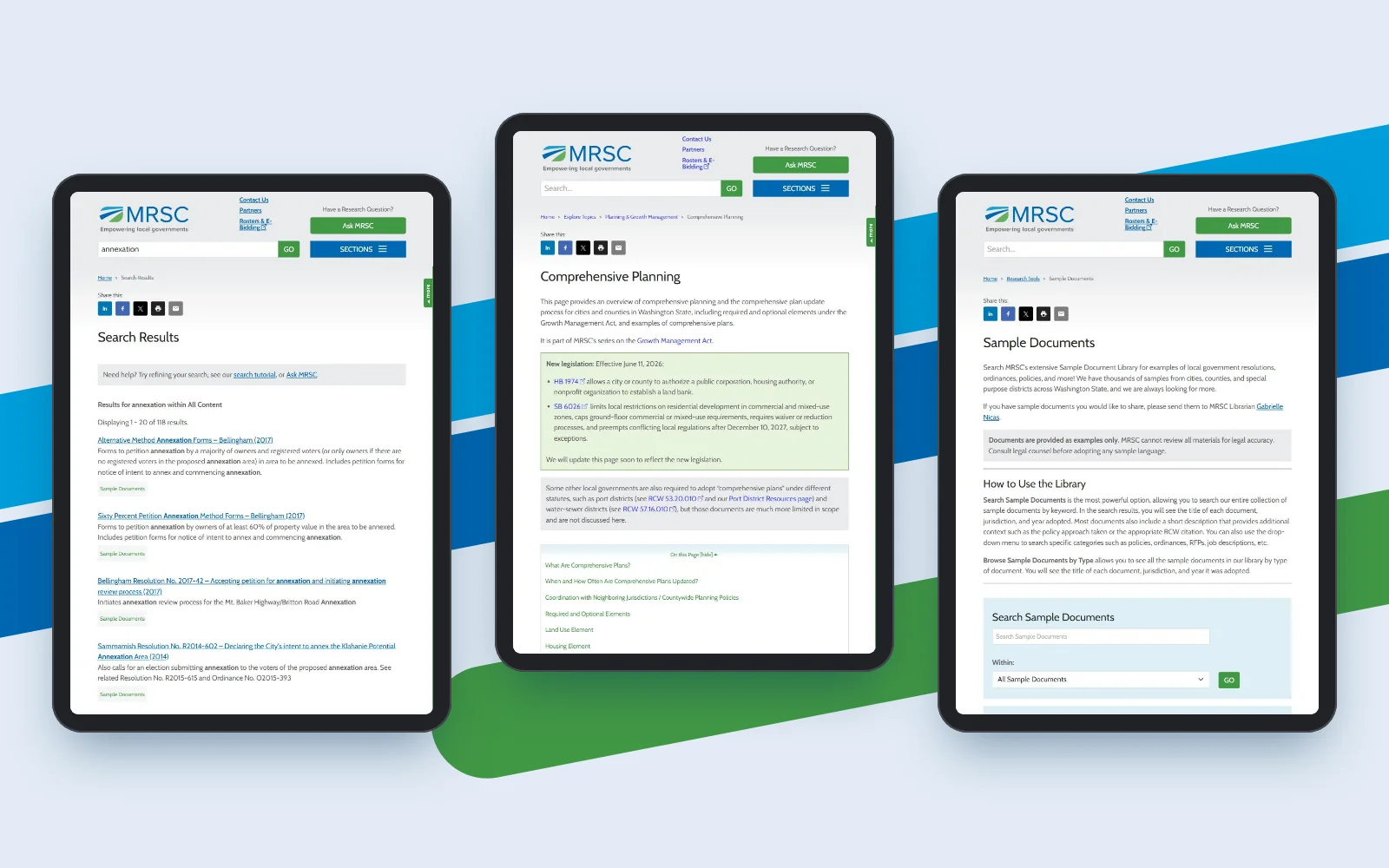
Filters that scale down to a phone
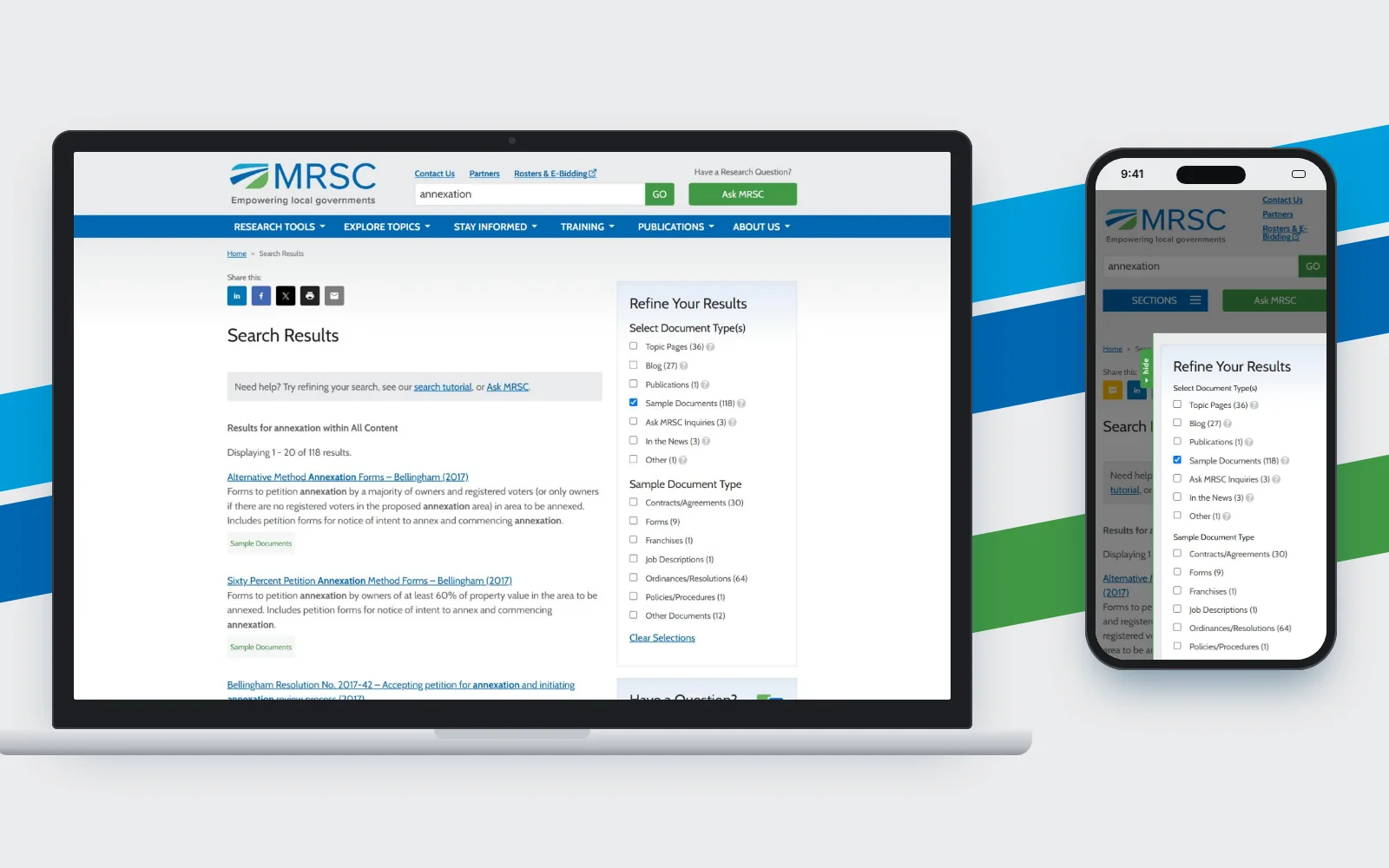
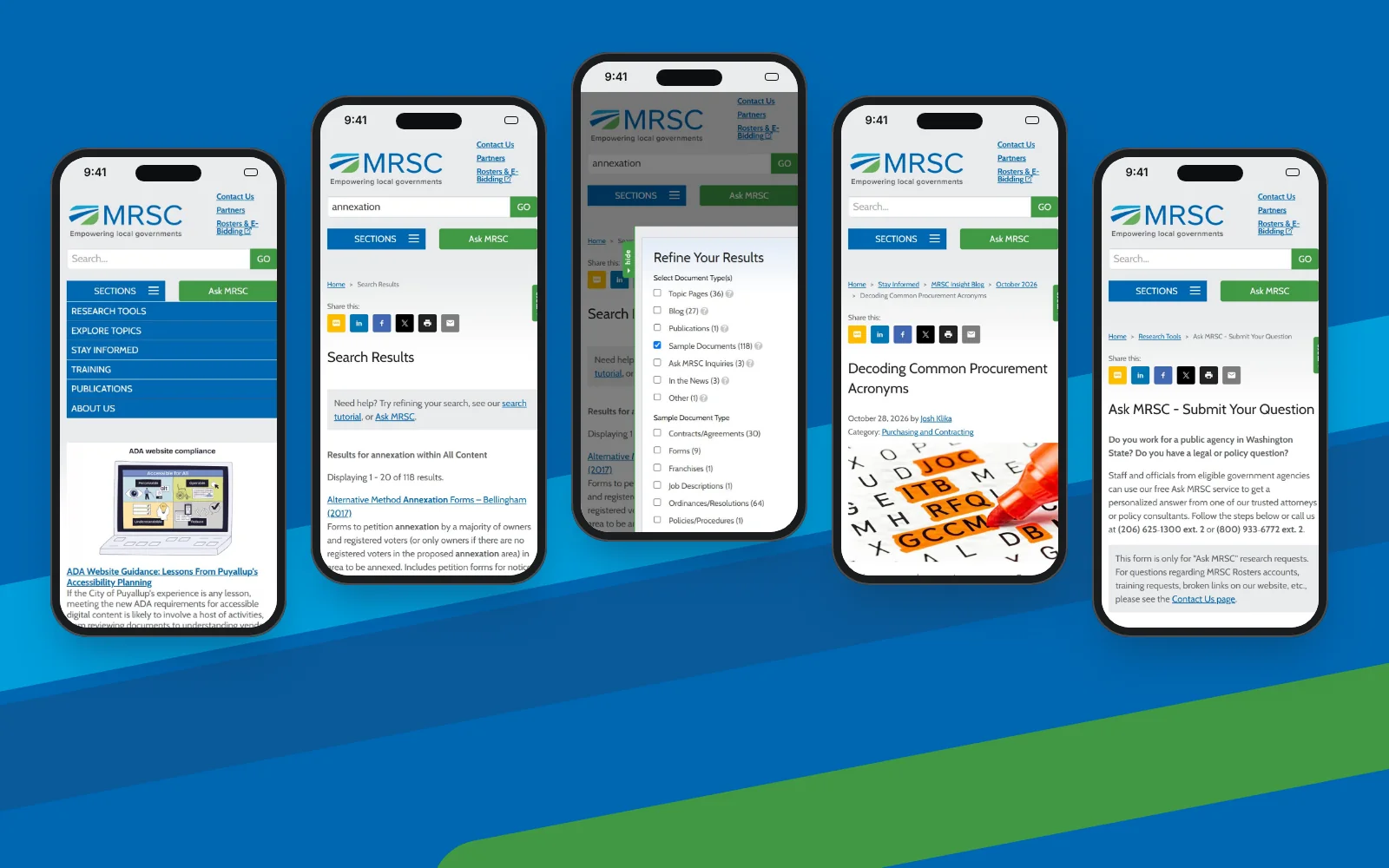
A search for annexation returns 118 sample documents, with Refine Your Results counting each type: topic pages (36), blog posts (27), sample documents (118), Ask MRSC inquiries (3) and news (3). On a laptop the filters sit beside the results; on a phone they open as a slide-out panel.
- SEARCH RESULTS
- FACETS
- SLIDE-OUT FILTERS
CHAPTER 02 OF 03
A library built for reading
Long-form legal guidance stays readable on every screen, and when self-service runs out, Ask MRSC is one step away.
13 · TOPIC PAGES
A topic page built for reading
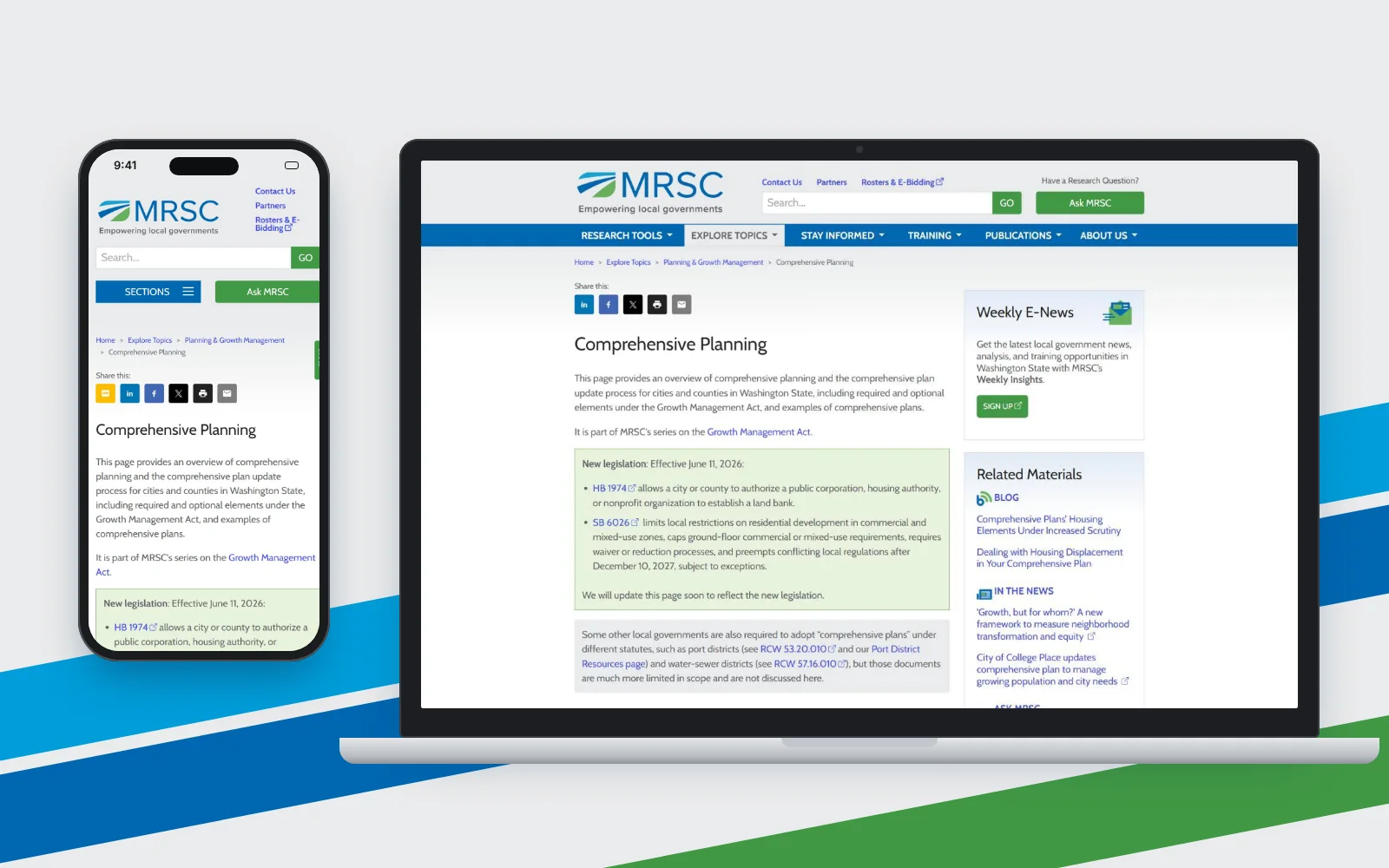
The Comprehensive Planning page opens with a plain summary, then a green “new legislation” box with the effective date and bill links. A related materials column brings in the blog, the news and the Weekly E-News sign-up, so the reader can keep going without a new search.
- TOPIC PAGE
- LEGISLATION CALLOUT
- RELATED MATERIALS
09 · RESEARCH TOOLS
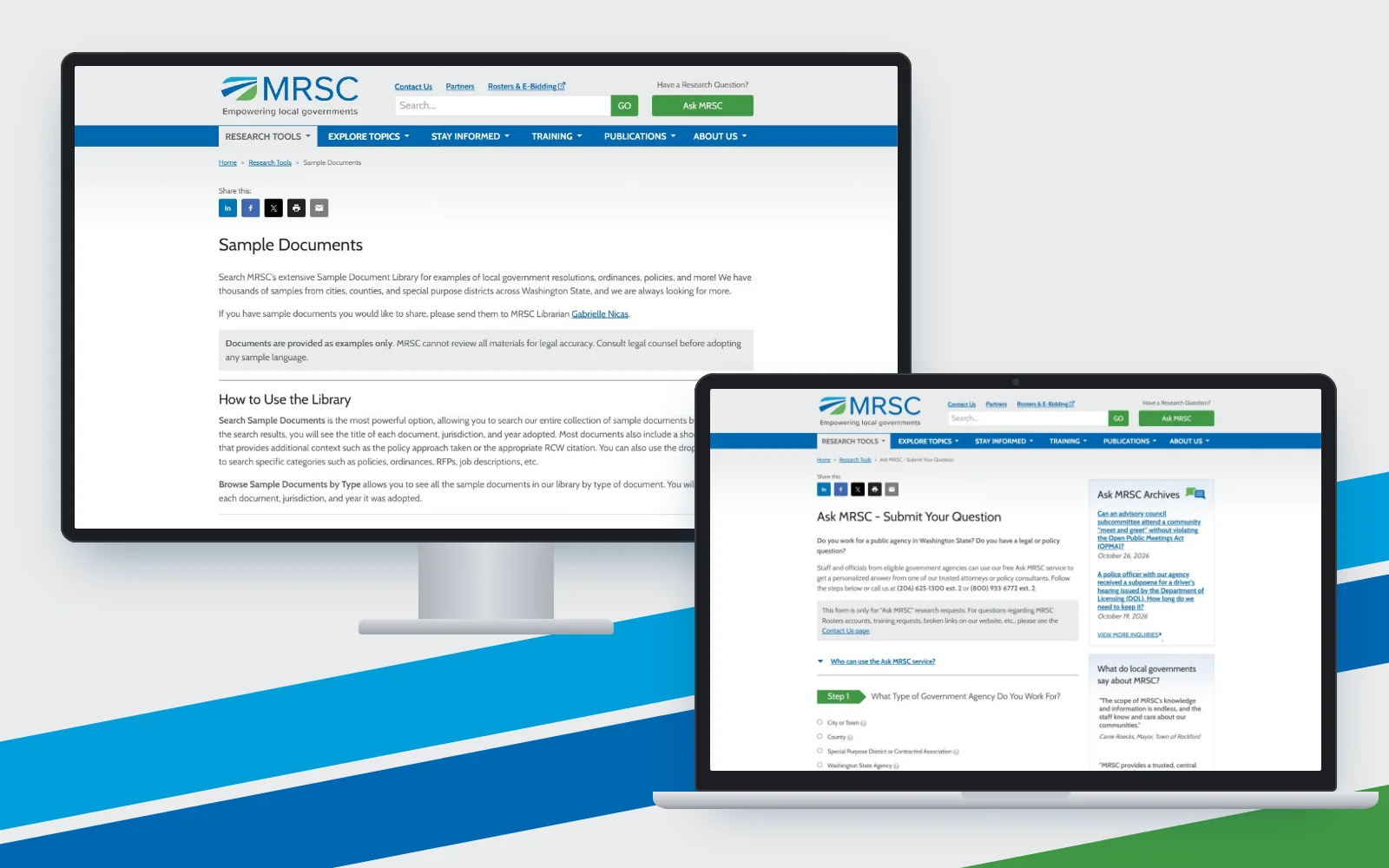
Sample documents and Ask MRSC
The Sample Documents library explains that documents are examples only and that MRSC cannot review them for legal accuracy. The Ask MRSC form asks first what type of government agency the visitor works for, and makes clear that the form is for research requests only, with phone numbers for everything else.
- SAMPLE DOCUMENTS
- ASK MRSC
- GUIDED FORM
01 · RESPONSIVE VIEWS
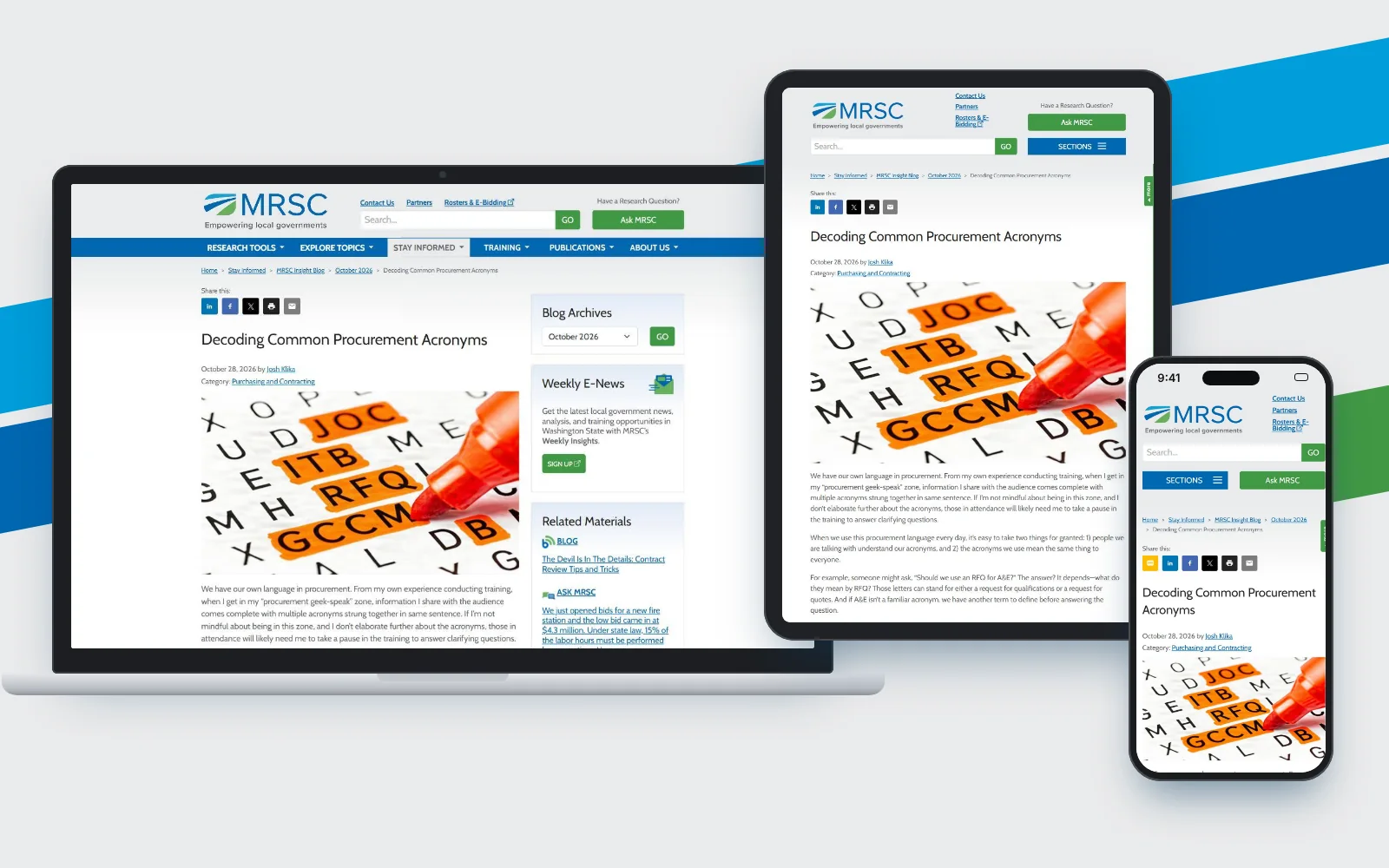
A research library on every screen
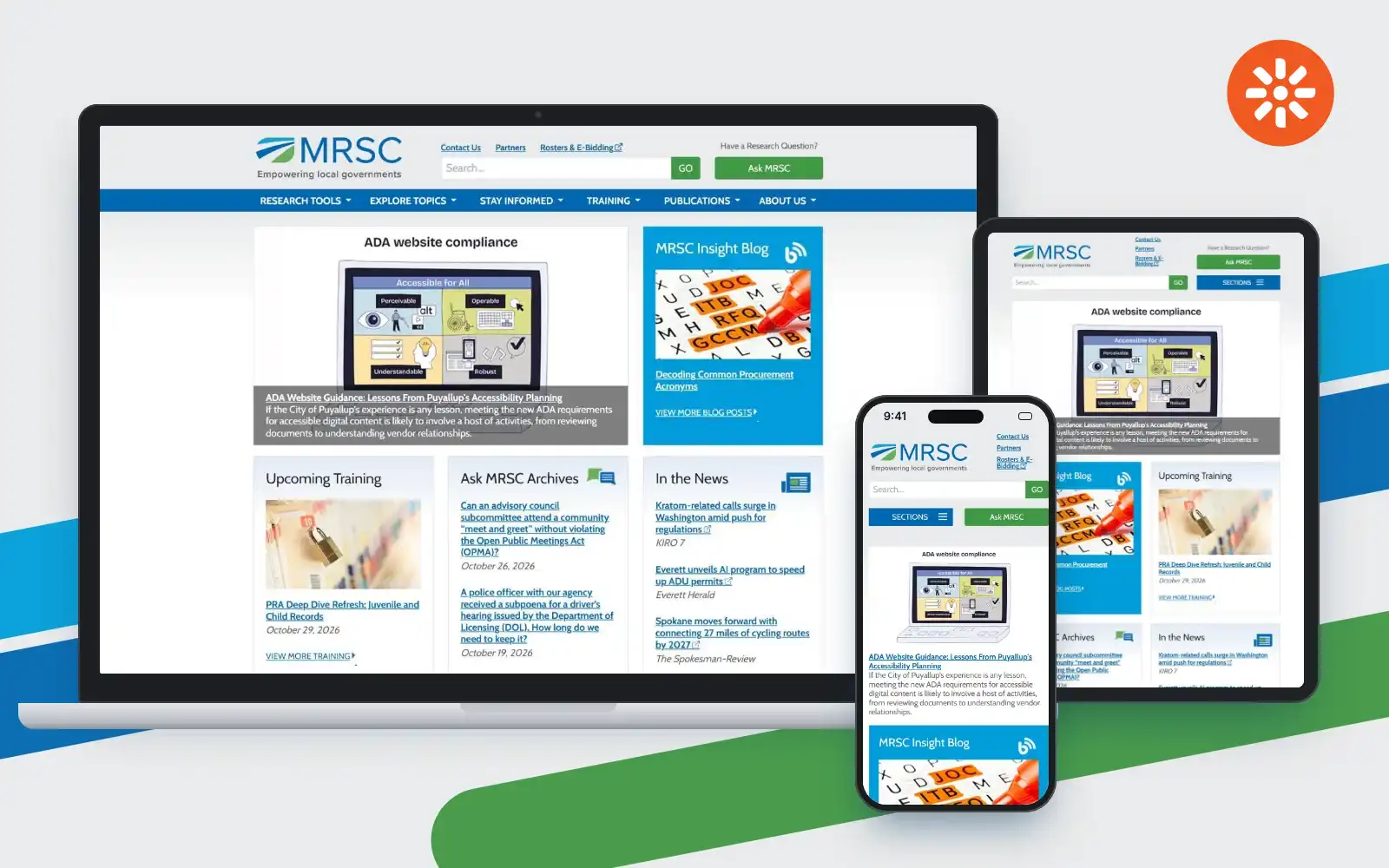
The home page puts the library in front of the visitor: an ADA website compliance feature, the MRSC Insight Blog, upcoming training, Ask MRSC archives and the latest in the news. The blue navigation bar keeps Research Tools, Explore Topics, Stay Informed, Training, Publications and About Us in one place, and the green Ask MRSC button stays visible on every size.
- RESPONSIVE
- SEARCH FIRST
- ASK MRSC
CHAPTER 03 OF 03
The groundwork
Before any screen was drawn: workshops with the people who answer the questions, a map of the library, and wireframes that show every breakpoint.
02 · DISCOVERY
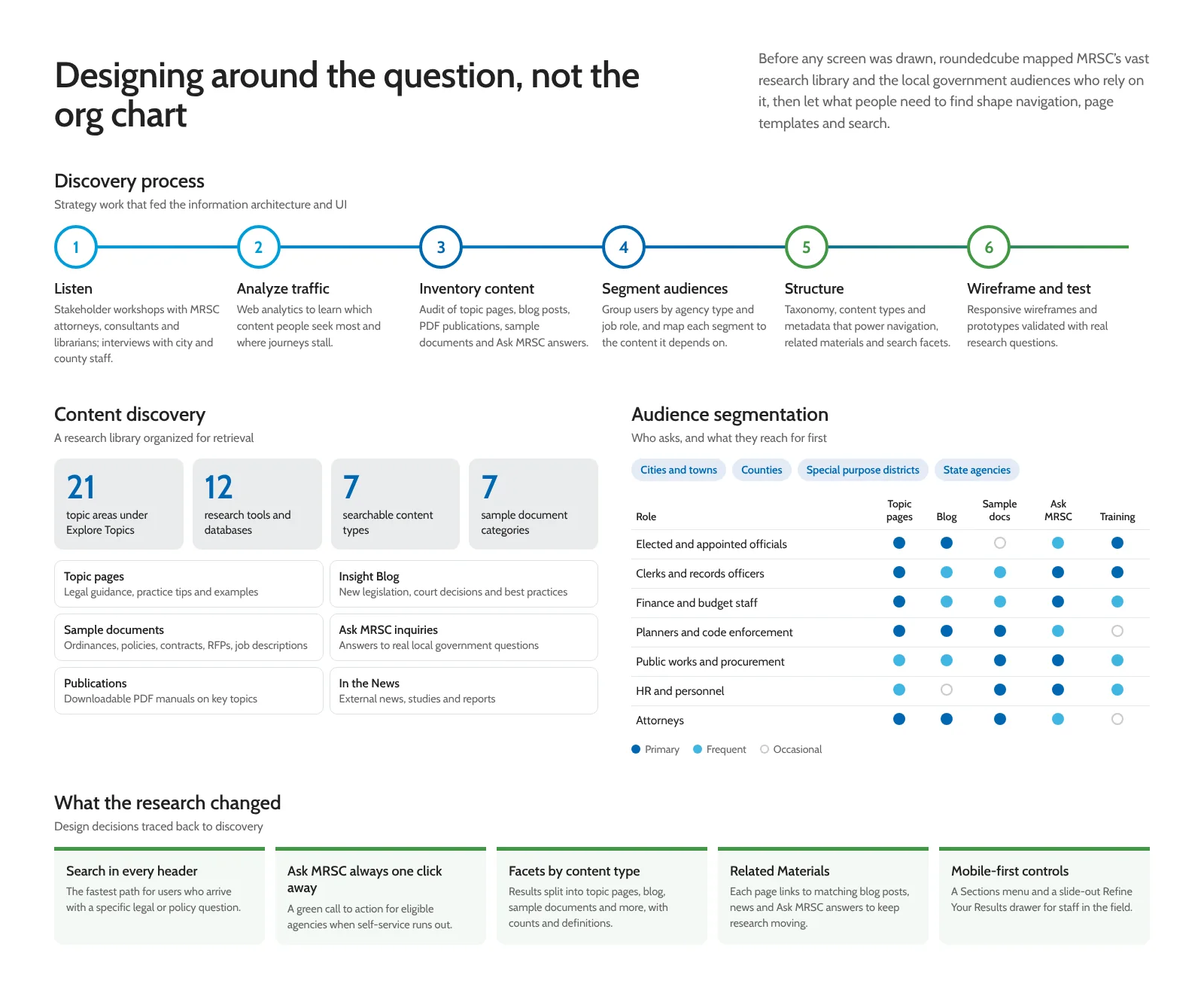
Designing around the question, not the org chart
Before any screen was drawn, we mapped the research library and the local government audiences who rely on it. Six steps led from workshops with attorneys, consultants and librarians to tested wireframes. The library holds 21 topic areas, 12 research tools and databases, seven searchable content types and seven sample document categories, and each audience gets its own starting point.
- DISCOVERY
- AUDIENCE SEGMENTS
- CONTENT INVENTORY
03 · INFORMATION ARCHITECTURE
Sitemap of the research library
The animated sitemap lays out every section of the site, from Research Tools and Explore Topics to Training, Publications and About Us, so the whole structure can be checked in one view.
- SITEMAP
- INFORMATION ARCHITECTURE

06 · WIREFRAMES · RESPONSIVE
Responsive wireframes, animated
The layouts at desktop, tablet and phone widths, animated so that each change from one breakpoint to the next can be followed.
- WIREFRAMES
- BREAKPOINTS
Blue for navigation, green for action
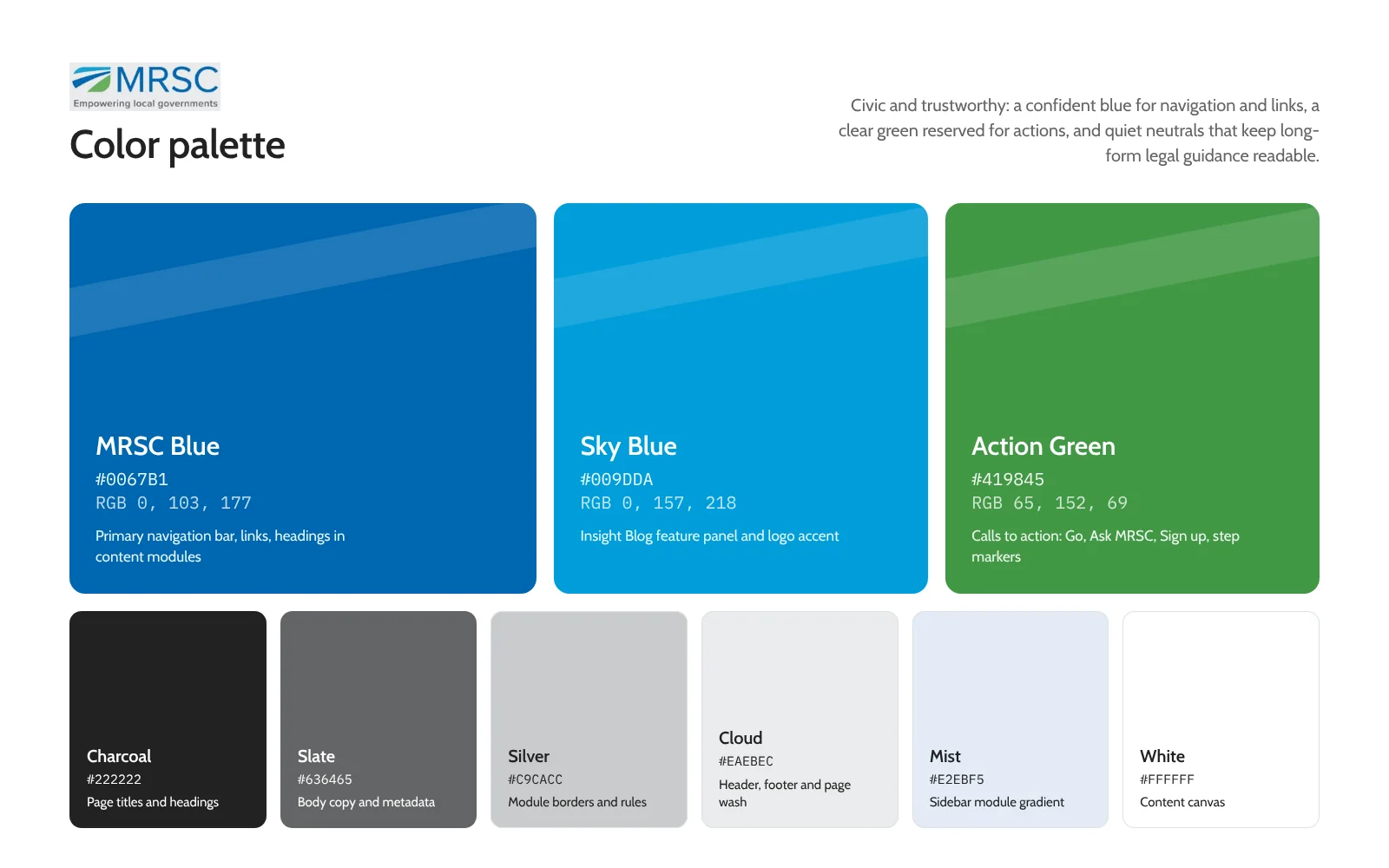
MRSC Blue is the primary color for the navigation bar, links and headings in content modules. Sky Blue marks the Insight Blog, and Action Green is kept for the calls to action: Go, Ask MRSC, Sign up and the step markers. Charcoal and slate carry the text, so the long legal guidance stays readable.
- BRAND COLORS
- ACTION COLOR
- NEUTRALS
Cabin, in two weights and a clear scale
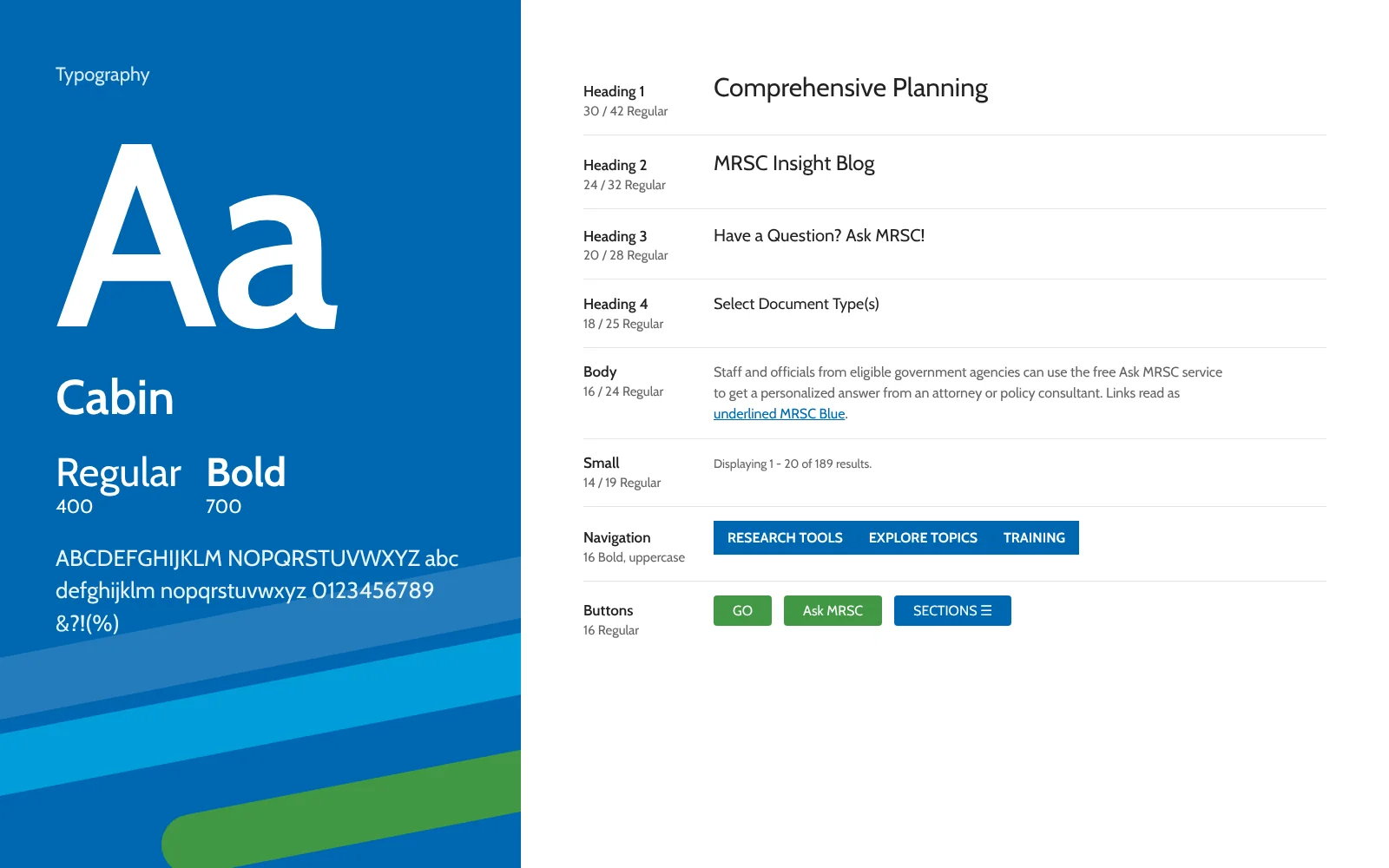
Cabin Regular and Bold carry the whole site. Headings step down from 30px to 18px, body copy is set at 16px over 24px of leading, and the navigation uses 16px bold capitals. Staff and officials can read a long guidance page without the type getting in the way.
- CABIN
- TYPE SCALE
- READABLE
THE OUTCOME
One search box, the whole library behind it.
MRSC’s website is now organized around the questions local governments ask. A custom Lucene.NET search ties topic pages, sample documents, blog posts and news together, and Ask MRSC is there when the answer needs a person.
- 01
Search first
One query reaches every kind of content, with filters that count each type and scale down to a phone.
- 02
Built for reading
Topic pages and the Insight Blog keep a comfortable line length from laptop to phone.
- 03
A clear way to ask
When self-service runs out, the Ask MRSC form starts with what kind of question it is.
NEXT STEP
Helping people find the answer?
Research sites, libraries and knowledge bases live or die on search and structure. If your visitors arrive with questions, we can start with the questions they ask most.